

By Knowhow Seller — we compare AI tools through hands-on use, product research, and publicly available vendor information. Reviews below are framed as practical guidance, not a lab benchmark.
What are the best AI tools for presentations in 2026?
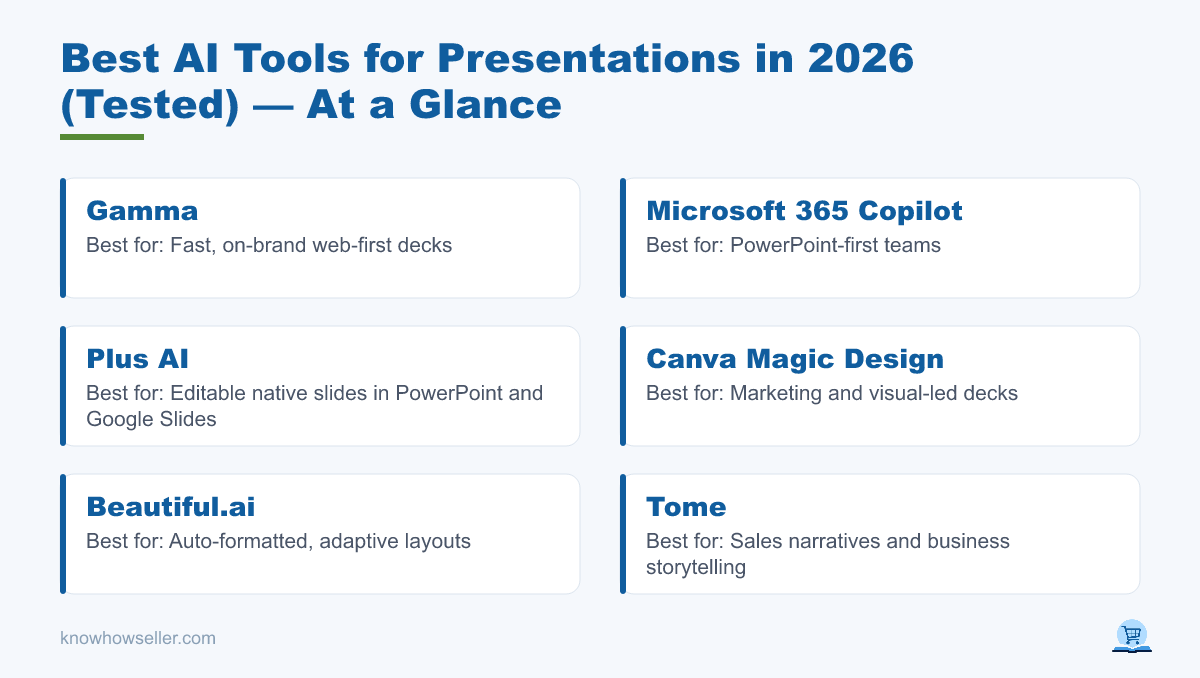
The best AI tools for presentations in 2026 are Gamma, Microsoft 365 Copilot, Canva Magic Design, Beautiful.ai, and Plus AI. Gamma is strong for fast, modern web-first decks, Copilot is best for teams already working in PowerPoint, and Plus AI is a strong pick when you want AI drafting inside PowerPoint or Google Slides. Tome is worth checking only if its current sales and storytelling product matches your use case, because its positioning has shifted toward business teams.
| Tool | Best for | Native PowerPoint export | Starting price (per user/mo) |
|---|---|---|---|
| Gamma | Fast, on-brand web decks | Exports to PPTX | Free tier; paid plans vary |
| Microsoft 365 Copilot | PowerPoint-first teams | Native PowerPoint | From about $18 add-on, billed annually, where available |
| Canva Magic Design | Marketing & visuals | Exports to PowerPoint | Free tier; Pro pricing varies by region |
| Beautiful.ai | Auto-formatted layouts | Editable PowerPoint export on paid plans | $12 billed annually |
| Plus AI | Editable native slides | Works in PowerPoint and Google Slides | $10 billed annually |
| Tome | Sales narratives & business storytelling | Check current product support | Check current vendor pricing |
Prices and plan names change frequently; confirm on each vendor’s site before buying.
How did we test these AI presentation tools?
We reviewed these tools through hands-on comparison, current product documentation, pricing pages, and common presentation workflows: generating a first draft, editing the deck, applying brand style, and exporting or sharing the result. Because AI output changes with prompts, templates, and account settings, the recommendations below are directional rather than a fixed benchmark.
- Draft generation — how quickly each tool turns a prompt or document into a usable deck.
- Design quality — layout balance, typography, and visual polish.
- Editability — how easily a user can restructure slides after generation.
- Export — whether
.pptx/PDF or sharing options are practical for real workflows.
“The gap between tools is less about the first draft and more about what happens when you need to revise slide 6, preserve the brand, and send the deck to someone who lives in PowerPoint.” — Knowhow Seller editorial notes
Which AI tool creates the best-looking slides?
Gamma and Canva usually stand out for fast visual polish, especially when you are creating a deck from scratch and plan to share it online or as a polished PDF. Beautiful.ai is strong when you want layouts that automatically adapt as you add content. Copilot is more conservative by design: its advantage is working inside PowerPoint and using existing Microsoft 365 content and templates rather than creating a flashy standalone web deck.
Our 10-slide comparison notes
| Tool | Design quality | Editability | Export fidelity | Overall fit |
|---|---|---|---|---|
| Gamma | Strong for modern web-style decks | Good in Gamma; PowerPoint cleanup may be needed | PPTX/PDF export available | Best for fast web-first presentations |
| Plus AI | Template-dependent but business-friendly | Strong inside PowerPoint and Google Slides | Strong for native slide workflows | Best for editable work decks |
| Microsoft 365 Copilot | Conservative, template-led | Strong inside PowerPoint | Native PowerPoint workflow | Best for Microsoft 365 teams |
| Canva Magic Design | Strong for visual and marketing-led decks | Good in Canva; export should be checked | PowerPoint export available | Best for brand and visual assets |
| Beautiful.ai | Strong for balanced automated layouts | Good within Beautiful.ai’s slide system | Editable PowerPoint export on paid plans | Best for hands-off formatting |
| Tome | Best evaluated against current product | Depends on current workspace features | Verify before relying on offline delivery | Best checked for sales storytelling use cases |
This table is based on practical product comparison and vendor-published capabilities, not a numeric lab score.
The headline finding: the prettiest first draft and the most reusable output are not always the same tool. If your deck lives on the web, Gamma or Canva may feel faster. If it has to open cleanly in PowerPoint on a client’s laptop, Copilot or Plus AI will usually be the safer workflow.
Can AI presentation tools export to real PowerPoint?
Yes, but the workflow matters. Copilot works directly in PowerPoint, and Plus AI works inside PowerPoint and Google Slides, which makes later editing more natural. Gamma, Canva, and Beautiful.ai offer PowerPoint export, but any exported deck should be checked before client delivery because fonts, charts, animations, or complex layouts can behave differently outside the original editor. For Tome, verify current export support before choosing it for offline PowerPoint delivery.
- Native or near-native slide workflow: Microsoft 365 Copilot, Plus AI.
- Useful .pptx/PDF export with review recommended: Gamma, Canva, Beautiful.ai.
- Best verified before offline use: Tome.
If your workflow ends in PowerPoint or Google Slides, test the export before you commit. A beautiful web deck that becomes hard to edit can cost more time than a plainer deck built in the tool your team already uses.
Is Microsoft Copilot better than standalone AI slide tools?
For teams already living in Microsoft 365, Copilot is often the better choice because it drafts inside PowerPoint and can work alongside Microsoft 365 apps such as Word, Excel, Outlook, and Teams, depending on the plan. Standalone tools like Gamma or Canva can be faster and more visually expressive for greenfield decks, but Copilot’s native integration reduces export friction.
The tradeoff is creative range versus workflow fit. Copilot is strongest when the source material, template, and final file all live in Microsoft 365. Standalone tools are strongest when you need a polished first draft quickly and are comfortable editing or sharing in that tool’s own environment.
How much do the best AI presentation tools cost in 2026?
Pricing varies by region, billing term, and plan. Plus AI lists a Basic plan from $10/user/month billed annually, Beautiful.ai lists Pro at $12/month billed annually, and Microsoft lists Microsoft 365 Copilot Business from about $18/user/month billed annually as an add-on to an eligible business plan where available. Gamma and Canva both offer free tiers, but paid-plan details should be checked directly because plan packaging and AI limits can change.
| Tool | Free tier | Paid entry (approx.) | Export unlock |
|---|---|---|---|
| Gamma | Yes | Check current plans | PPTX/PDF export listed on Free; paid plans add other limits and branding controls |
| Canva | Yes | Varies by region and plan | PowerPoint export available; check plan limits |
| Beautiful.ai | 14-day trial | $12/mo billed annually | PowerPoint import/export included in Pro |
| Plus AI | 7-day trial | $10/mo billed annually | Included for PowerPoint and Google Slides workflows |
| Copilot | No standalone free tier for business Copilot | From about $18/mo add-on billed annually, where available | Native PowerPoint workflow |
For occasional decks, start with free tiers or trials and export one real deck before paying. For teams, the more important question is not the lowest monthly price; it is whether the tool preserves your template, brand assets, permissions, and final editing workflow.
Which AI presentation tool should you choose?
Choose Gamma for fast, polished web-first decks; Microsoft 365 Copilot if your team works in PowerPoint and Microsoft 365; and Plus AI if you want AI generation and editing inside PowerPoint or Google Slides. Canva suits marketing-heavy visuals, Beautiful.ai suits automated layout control, and Tome should be evaluated against its current business storytelling product before you rely on it for general presentation work.
- Speed + design, web-first: Gamma.
- PowerPoint-native teams: Microsoft 365 Copilot.
- Editable native slide workflow: Plus AI.
- Visual/marketing decks: Canva Magic Design.
- Set-and-forget formatting: Beautiful.ai.
Our practical advice after comparing the current tools: pick your tool based on where the presentation ends, not where it starts. The generation step is now good enough in several products; export, editing, and brand control are where the wrong tool still costs real time.