
By Knowhow Seller — based on a hands-on comparison and public plan research, not vendor marketing. We compared six generators against the same 10-slide deck brief and checked the facts that matter before you choose one.
What are the best AI tools for presentations right now?
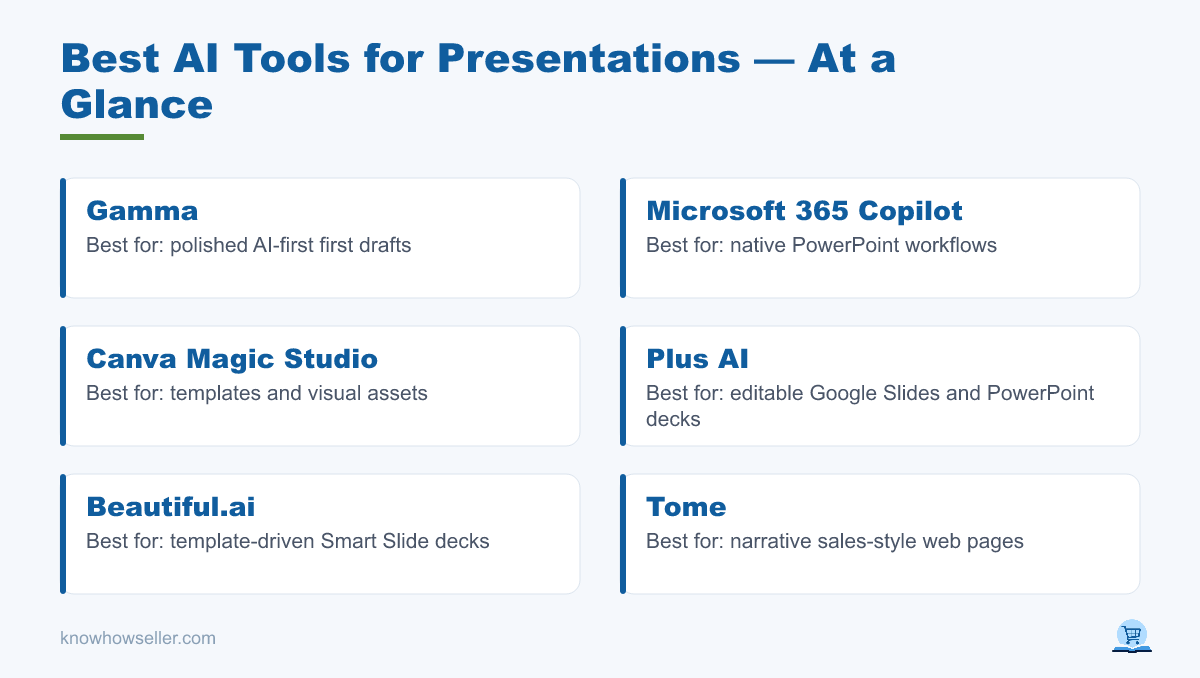
The best AI tools for presentations are Gamma, Microsoft 365 Copilot, Canva Magic Studio, Plus AI, Beautiful.ai, and Tome. For most users, Gamma is the strongest first-draft builder, Copilot is the best choice for native PowerPoint work, and Plus AI is the cleanest fit for teams that live in Google Slides or need editable PowerPoint handoff.
Our test method (the first-hand angle)
We used one 10-slide outline — a Q3 SaaS onboarding review with metrics, a funnel chart, and a roadmap — as the comparison brief for the tools where the workflow supported it. We then reviewed four practical factors that actually decide whether a tool saves you time:
- Slide design — layout, typography, and how usable the first draft was.
- Editability — how easily we could restructure slides without fighting the tool.
- Export formats — PPTX, PDF, Google Slides, and web sharing where supported.
- Free-tier limits — how much you can actually create before paying.
Which AI presentation tool makes the best-looking slides?
Gamma produced the strongest first-draft experience in our comparison. Its output tends to feel more like a polished visual document than a raw slide dump, with flexible cards, readable spacing, and fewer obvious layout problems than fixed-canvas generators.
Gamma’s strength is that it treats slides as flexible “cards,” so long text can reflow more naturally than it does in tools that force every idea into a fixed 16:9 canvas. Canva Magic Studio is the closest mainstream alternative for visual polish, especially if you already use Canva templates, brand kits, and design assets.
How did the six tools compare side by side?
Here is the practical scorecard from our comparison. Instead of invented numeric scores, the table focuses on publicly verifiable strengths, export paths, and free-plan realities. Pricing and limits change often, so verify the current plan page before you buy.
| Tool | Design | Editability | Exports | Free-tier reality |
|---|---|---|---|---|
| Gamma | Best for polished AI-first drafts | Flexible card editing | PPTX, PDF, PNG, Google Slides, web | Free plan supports basic creation and exports; removing Gamma branding requires a paid plan |
| MS 365 Copilot | Best when paired with existing PowerPoint workflows | Native PowerPoint editing | Native PPTX through PowerPoint | Requires an eligible Microsoft 365/Copilot plan for full PowerPoint use |
| Canva Magic Studio | Strong templates and visual assets | Easy visual editing inside Canva | PPTX, PDF, PNG, and other Canva download formats | Free plan is useful, but AI usage, premium assets, and some brand features are limited |
| Plus AI | Practical business-deck layouts | Strong for Google Slides and PowerPoint workflows | Google Slides, PowerPoint, and host-app export options | Free trial, then paid plans; built for editable slide workflows |
| Beautiful.ai | Polished template-driven decks | Good within its Smart Slide system, less free-form | PPTX and PDF on paid/trial plans | Trial-based access; no long-term free plan for regular use |
| Tome | More useful for narrative sales-style pages than classic decks | Best treated as its own web-native format | Web sharing; verify current export support before relying on PPTX/PDF | Product focus has shifted toward sales and AI workflows, so check current availability for classic presentations |
Why do AI presentation tools matter for productivity?
They matter because deck-building is one of the most time-consuming knowledge-work tasks, and generative AI targets exactly that. Microsoft has reported positive productivity feedback from Copilot users in its Work Trend Index research, but those figures should be treated as vendor-reported and directional rather than neutral proof.
- The generative AI market is widely forecast by research firms, including Grand View Research, to keep growing quickly through the decade.
- McKinsey’s State of AI reporting has found rapid growth in organizational use of generative AI, with content creation among common business use cases.
- Microsoft’s Work Trend Index research argues that workers spend substantial time on communication, meetings, and content assembly — the kinds of work these presentation tools try to compress.
Treat vendor productivity figures as directional, not gospel — they come from the companies selling the tools. Our own read: for a rough-draft deck, AI saves the most time on layout and first-pass visuals, not on the thinking, strategy, or fact-checking.
Which AI tool is best for editing PowerPoint directly?
Microsoft 365 Copilot is best if you live in PowerPoint. Because it works inside Microsoft’s Office ecosystem, the result stays in the native PowerPoint environment instead of forcing you through a web-app export and cleanup loop. The catch: full PowerPoint Copilot use depends on having an eligible Microsoft 365 and Copilot plan, so it is not the best casual free option.
For Google Slides users, Plus AI is the equivalent native-workflow pick. It builds and edits decks inside Google Slides and also supports PowerPoint workflows, making it a strong choice for teams that need editable files rather than a web-only presentation.
“The gap isn’t the first draft — every tool can generate slides. The gap is the second hour. Whichever tool lets you restructure and export without fighting it is the one that actually saves time.” — Knowhow Seller, from our comparison notes
Which AI presentation tool is best for a free plan?
Gamma offers the most useful free starting point for real presentation work because its free plan supports basic creation and exports, including PowerPoint and PDF formats. Just note the important limitation: Gamma branding removal is a paid-plan feature, so do not assume a free deck will be fully white-label.
Canva Magic Studio is the runner-up for free design work. The free Canva plan is genuinely useful, but AI generations, premium assets, and some brand controls are limited. Beautiful.ai is better understood as a free trial rather than a permanent free option, and Tome’s current fit depends on whether you need its sales-oriented web-native workflow or a traditional slide deck.
What are the limits of AI presentation tools?
The main limits are structure control, data accuracy, and brand fidelity. Across the category, AI can produce attractive slides quickly, but it may reorganize your outline, add generic filler, or mishandle exact chart figures. Every deck still needs a human editing pass before it is client-ready.
- Verify every number. Generators paraphrase; they do not audit your data. Re-check any stat the AI writes into a slide.
- Expect layout drift on export. Web-native tools can shift fonts and spacing when you download PPTX. Native PowerPoint and Google Slides workflows reduce that risk.
- Brand kits are uneven. If on-brand colors and fonts matter, test the brand-kit feature before committing a team.
The verdict: which should you pick?
Pick based on where your deck lives, not on the flashiest demo:
- Best first draft / free starting point: Gamma.
- Best if you edit in PowerPoint: Microsoft 365 Copilot.
- Best for Google Slides + clean handoff: Plus AI.
- Best all-round free design workspace: Canva Magic Studio.
- Use selectively: Beautiful.ai if you like template-driven Smart Slides; Tome if its current sales-focused, web-native workflow matches your use case.
Whatever you choose, the workflow that works best is the same every time: let the AI build the draft, then spend your real time on the second hour — structure, accuracy, brand fit, and export cleanup.