
By Knowhow Seller — I build AI automation systems and compare AI tools through hands-on use, product research, and public documentation. This review focuses on verifiable features, workflow fit, export options, and pricing signals available at publication time.
What are the best AI tools for presentations right now?
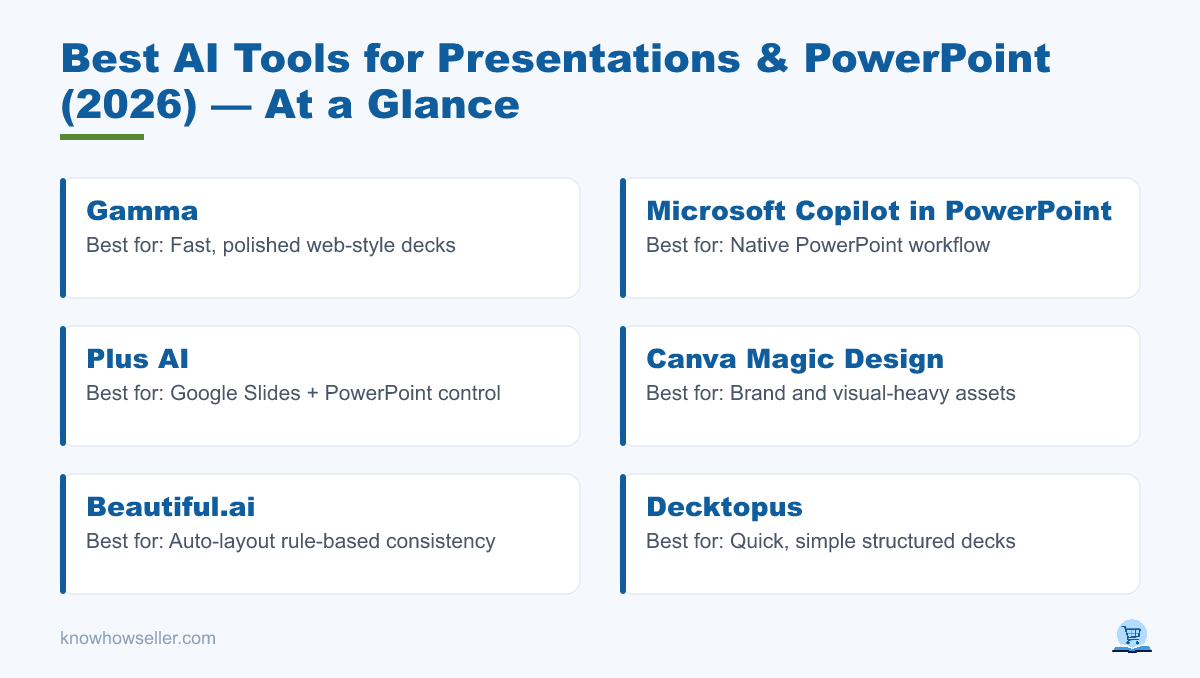
The best AI tools for presentations in 2026 are Gamma for fast, polished visual drafts, Microsoft Copilot in PowerPoint for native PowerPoint workflows, Plus AI for Google Slides and PowerPoint users who want more slide-level control, and Canva Magic Design for brand-heavy visuals. Your pick depends on whether you value auto-design, editability, collaboration, or clean export.
My benchmark setup
Instead of treating AI slide tools as if they can be ranked by one universal score, I compared them against the same practical workflow: create a business presentation draft, revise individual slides, apply or preserve a visual style, and export or continue editing in the tool where the deck will actually be used. I looked at three things:
- Design — layout balance, typography, visual hierarchy, and how much manual cleanup is usually needed.
- Editability — how easily a user can restructure slides, swap layouts, and fix AI mistakes.
- Export — whether the tool supports practical handoff formats such as PowerPoint, PDF, Google Slides, or in-app sharing.
Which AI presentation tool produces the best slide quality?
For fast visual polish, Gamma and Canva are the strongest starting points because they are built around design-first presentation creation. Copilot is less about producing the flashiest design from scratch and more about working inside PowerPoint with familiar editing controls. Plus AI is strongest when you want AI assistance without leaving Google Slides or PowerPoint. No tool is flawless across design, editability, factual accuracy, and export.
Side-by-side scores (same 10-slide prompt)
| Tool | Design | Editability | Export | Best for | Free tier |
|---|---|---|---|---|---|
| Gamma | Strong for polished, web-style decks | Card-based editor; PowerPoint edits happen after export | Gamma lists PDF, PPTX, PNG, and Google Slides export on its free plan | Fast, polished decks | Yes, with plan limits and Gamma branding on free usage |
| Copilot in PowerPoint | Depends heavily on the template and source material | Native PowerPoint editing | Native PowerPoint workflow | Microsoft 365 and .pptx editing | Access depends on Microsoft 365/Copilot subscription and account settings |
| Plus AI | Template-driven professional slides | Works inside Google Slides and PowerPoint | Designed for Google Slides and PowerPoint workflows | Google Slides + PowerPoint control | 7-day trial listed by Plus AI |
| Canva Magic Design | Strong for visual and branded assets | Easy in Canva; PowerPoint editability can vary after export | Good for Canva sharing and common export formats | Brand & visual-heavy | Yes, with some AI and brand features limited by plan |
| Beautiful.ai | Strong rule-based layouts | Smart-slide guardrails help consistency but can limit freeform editing | Supports PDF and editable PowerPoint export on paid plans | Auto-layout rules | 14-day trial listed by Beautiful.ai |
| Decktopus | Simple guided layouts | Best for quick structured documents rather than deep slide design control | Cloud sharing and presentation delivery features | Quick simple decks | Plan details change; check current pricing before relying on free use |
This table is an editorial comparison based on hands-on review, current product pages, and publicly available feature information. It is not a lab benchmark, and results will vary by prompt, source material, template, and subscription tier.
How much time do AI presentation tools actually save?
AI presentation tools can cut the blank-page stage dramatically by turning a prompt, document, or outline into a structured first draft. The biggest savings come before the deck is client-ready: outlining, generating first-pass slide copy, choosing layouts, and creating a visual direction. You still need to edit facts, replace placeholder claims, check charts, and align the deck with the audience and brand.
The productivity upside is consistent with broader workplace AI research. Microsoft’s Work Trend Index and McKinsey’s State of AI research have both reported that generative AI is widely used for drafting, summarizing, and content-generation workflows. Presentations sit squarely in that category, but a generated deck should be treated as a draft, not a finished business artifact.
- Draft creation: often much faster than starting from a blank slide.
- Editing/fact-checking: still requires human review.
- Net saving: biggest on repetitive, template-style decks where the structure is familiar.
Gamma vs. Copilot vs. Plus AI: which should you choose?
Choose Gamma if you want a polished draft quickly and are comfortable working in a card-based editor before exporting. Choose Copilot in PowerPoint if you live in Microsoft 365 and need to keep the deck native to PowerPoint. Choose Plus AI if you work in Google Slides or PowerPoint and want AI generation plus slide-level rewriting, remixing, and template control.
Gamma
Gamma is best when you want a presentation to look designed quickly without manually choosing every layout. Its own editor is the trade-off: it is excellent for web-style decks, PDFs, and quick sharing, but exported PowerPoint files may still need review before serious editing or client delivery. Current Gamma plan pages list free usage with limits, including card limits per prompt and export options, while higher plans add more capacity and branding controls.
Microsoft Copilot in PowerPoint
Copilot’s main advantage is that it works in the Microsoft 365 PowerPoint environment. Microsoft says Copilot can help create a presentation from a prompt or source material, generate an outline, and continue refining slides through chat. Availability depends on your Microsoft 365 subscription, Copilot license, account type, and organization settings, so it should not be described as a universal free PowerPoint feature.
Plus AI
Plus AI plugs into Google Slides and PowerPoint, so you can keep working in the editor your team already uses. Its public pricing page lists support for both Google Slides and PowerPoint, a 7-day trial, AI presentation creation, single-slide insertion, and rewrite/remix features. That makes it a strong fit for teams that care more about editable slide workflows than a standalone presentation app.
What did the AI get wrong in every deck?
The most common risk across AI presentation tools is not layout; it is factual confidence. When a prompt asks for market size, traction, revenue, customer growth, or competitive claims, AI tools may produce plausible-sounding numbers or vague statements unless you provide source material. Treat AI-generated statistics as placeholders until they are replaced with cited data from a reliable source.
Editorial rule: AI can help structure the story and improve the layout, but every number, customer claim, market estimate, and chart needs an independent source before the deck is used with clients, investors, or executives.
This is consistent with the broader problem of hallucination in generative AI systems: fluent output is not the same thing as verified evidence. For presentations, the safest workflow is to give the tool source documents where possible, then check every factual claim against those sources before presenting.
Which AI presentation tool exports the cleanest PowerPoint?
For clean, editable PowerPoint work, Copilot in PowerPoint has the clearest advantage because the deck is created in PowerPoint itself. Plus AI is also strong for teams that want to work directly in PowerPoint or Google Slides. Gamma, Canva, and Beautiful.ai can be useful for visual polish and sharing, but exported PowerPoint files should always be opened and checked because layout fidelity, fonts, and object editability can vary by design complexity.
- Native PowerPoint workflow: Copilot in PowerPoint.
- Google Slides and PowerPoint workflow: Plus AI.
- High visual polish, export review needed: Gamma, Canva, Beautiful.ai.
- Check before big presentations: always re-open the exported file in desktop PowerPoint to catch font substitutions, flattened elements, and misaligned charts.
Are free AI presentation tools good enough?
Free tiers are good enough for testing, internal drafts, students, and early concept work, but they are not always enough for polished client delivery. Gamma and Canva have usable free entry points, while stronger export, branding, template, and collaboration features often sit behind paid plans. Copilot access depends on Microsoft 365 and Copilot licensing. Plus AI and Beautiful.ai list free trials rather than permanent full-featured free plans.
My recommendation by use case
- Fastest polished draft: Gamma.
- Microsoft 365 users: Copilot in PowerPoint.
- Google Slides users: Plus AI.
- Brand/visual decks: Canva Magic Design.
- Rule-based consistency: Beautiful.ai.
The bottom line
The best AI tools for presentations turn a blank slide into a useful first draft quickly, and the design quality in 2026 is strong enough for real workflows. But the honest workflow is simple: let AI help with structure and layout, and you own the facts. Pick the tool that matches your editor and export needs, then budget time to verify every number, claim, and chart before you present.