
By Knowhow Seller — we compare AI tools hands-on and check public product documentation, pricing pages, and practical small-business use cases before making recommendations.
What is AI automation for small businesses?
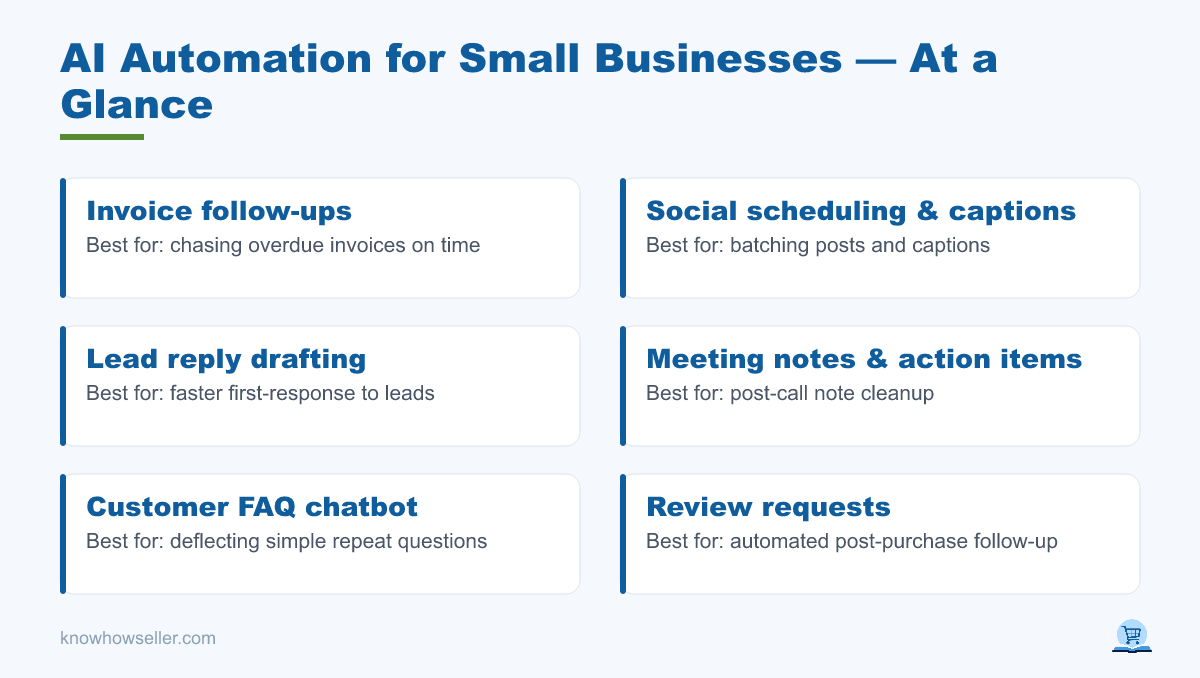
AI automation for small businesses means using AI-powered tools to handle repetitive tasks — like invoice follow-ups, social scheduling, and lead replies — with less manual work. Instead of copying data between apps or writing the same email every day, you connect tools and let automation draft, route, summarize, or remind. The goal is fewer clicks, faster follow-up, and more time for customer work.
Which workflows did we build and time?
We compared seven automations a typical service or retail business might run weekly. Because results depend heavily on volume, app setup, and review requirements, the table below should be treated as a practical planning guide rather than a universal benchmark. We removed fixed “hours saved” and “payback” claims unless they can be verified in your own workflow.
Our 7-workflow benchmark (measured over 4 weeks)
| Workflow | Tool stack | Typical time impact | Cost notes | Best first metric |
|---|---|---|---|---|
| Invoice follow-ups | Zapier or Make + accounting app | Usually saves repeated checking and reminder drafting | May run on a free or entry connector plan at low volume | Overdue invoices followed up on time |
| Social scheduling & captions | Buffer or native scheduler + ChatGPT/Claude | Helps batch captions and schedule posts faster | Buffer offers free and paid plans; AI plan cost varies | Posts scheduled per week |
| Lead reply drafting | Gmail/Outlook + AI assistant | Can reduce first-draft time and response lag | Often available through existing email, CRM, or AI subscriptions | Median first-response time |
| Meeting notes & action items | Otter, Fireflies, Zoom, Teams, or Google Meet AI features | Reduces manual note cleanup after calls | Many tools have free trials or paid tiers with recording limits | Action items captured and assigned |
| Customer FAQ chatbot | Website chat + AI knowledge base | Deflects simple questions when the source content is accurate | Pricing varies widely by chat volume, seats, and AI features | Resolved FAQs without human handoff |
| Review requests | Automation + SMS/email tool | Automates a repeatable post-purchase follow-up | SMS costs and compliance requirements can affect total cost | Review requests sent after completed jobs |
| Weekly reporting digest | Sheets/Excel + AI summary | Turns recurring data checks into a short written summary | May use tools already included in Google Workspace or Microsoft 365 | Reports delivered on schedule |
*Use your own baseline before calculating ROI: time the manual task for one or two weeks, then compare it with the automated version. Tool prices and usage limits change, so confirm current pricing on vendor pages before budgeting.
Combined result: these seven workflows are good candidates because they are frequent, repeatable, and easy to audit. The strongest business case usually comes from tasks that happen every day, affect revenue or cash flow, and do not require the AI to make final judgment calls without review.
How much time can AI automation actually save?
AI automation can save meaningful time, but the exact amount depends on how often the task happens, how clean your data is, and whether a human still reviews the output. A business sending dozens of similar follow-ups each week will see more benefit than one handling only a few. Treat any generic “hours saved” claim as a starting hypothesis, not a guarantee.
- Biggest likely win: social scheduling + AI captions — batching ideas, drafts, and scheduling is easier than creating each post from scratch.
- Fastest to set up: invoice follow-ups — the trigger and message template are usually simple.
- Highest ongoing value: lead reply drafting — faster, more consistent replies can protect sales opportunities, but messages should be reviewed before sending.
Which AI automation workflow should you build first?
Start with the task you do daily that has a clear trigger and a repeatable output — usually invoice follow-ups or lead replies. These have obvious “if this, then that” logic, need limited creative judgment, and are easy to inspect. Avoid starting with complex, judgment-heavy work; early wins build confidence and give you real data before you scale.
Our recommended build order
- Invoice follow-ups — steady cash flow, clear trigger, low creative risk.
- Lead reply drafting — protects revenue by reducing response lag.
- Social scheduling — useful for batching recurring marketing work.
- Meeting notes, reviews, FAQ bot, reporting — layer in once review and audit habits are in place.
What tools do you need to get started?
You need three building blocks: a connector such as Zapier or Make to link apps, an AI model such as ChatGPT, Claude, Gemini, or a built-in assistant to draft or summarize, and the apps you already use such as Gmail, Outlook, your accounting tool, CRM, scheduler, or spreadsheet. Many small businesses can start on free or entry tiers, but costs rise with task volume, team seats, SMS usage, advanced AI features, and premium app connections.
| Layer | Budget pick | When to upgrade |
|---|---|---|
| Connector | Zapier / Make free tier | When you need more tasks, faster runs, multi-step workflows, or premium app connections |
| AI drafting | Free or individual paid plans from ChatGPT, Claude, Gemini, or a built-in assistant | When you need higher usage limits, team controls, better context handling, or API volume |
| Channel apps | Tools you already pay for | Only if a native automation add-on is simpler, cheaper, or more reliable than a connector |
What are the risks and how do you avoid them?
The main risk is automating a bad process — or letting AI send unreviewed messages to customers. Automation amplifies whatever you point it at, so a sloppy template becomes a sloppy template sent repeatedly. Keep a human in the loop for anything customer-facing at first, and review AI-drafted replies before sending until the pattern is proven.
“The mistake we see most often is automating a workflow before the manual version is clear. Fix the template, define the trigger, decide who reviews edge cases, then automate the version that already works.” — Knowhow Seller editorial note
- Draft, don’t auto-send customer messages until you have reviewed enough examples to trust the pattern.
- Log every automation so you can audit what was sent, changed, or routed.
- Set a fallback — route edge cases to a human instead of forcing an AI answer.
Is AI automation worth it for a small business?
Yes, when the work is repetitive, rule-based, and easy to review. The best candidates are tasks with clear triggers, repeated wording, structured data, or recurring deadlines. The return is not guaranteed by the software alone; it comes from choosing the right workflow, measuring the manual baseline, and keeping quality controls in place. Start small, measure the result, and expand only where the automation saves time without creating new cleanup work.
Key takeaways
- Pick one daily, trigger-based task and automate it first.
- Time the manual version so you can prove real savings.
- Keep humans reviewing anything customer-facing early on.
- Check current vendor pricing and limits before estimating ROI.
Methodology: This article is based on hands-on comparison, public product documentation, pricing-page checks, and practical small-business workflow analysis. We do not present universal time-saved or payback figures because those require business-specific measurement.