
By Knowhow Seller — a practitioner who builds AI automation systems and reviews tools against real source material, not vendor decks.
What does it mean to automate workflows with AI?
Automating workflows with AI means handing repeatable, rules-plus-judgment tasks to AI systems that can read context, suggest next steps, and act across your apps when you give them permission. Unlike rigid macros, AI-assisted workflows can interpret messy inputs — emails, tickets, documents — then route, summarize, draft, classify, or trigger the right action, so you supervise outcomes instead of doing every step manually.
AI agents vs. classic automation, at a glance
| Capability | Rule-based automation (Zapier/Make) | AI agent workflow |
|---|---|---|
| Handles unstructured input | Limited | Strong for text-heavy inputs such as email, PDFs, and chat |
| Decision logic | Fixed if/then | Context-aware, but needs boundaries and review |
| Setup effort | Low–medium | Medium (needs prompts, examples, and guardrails) |
| Error style | Usually breaks visibly | Can produce plausible mistakes — needs review |
| Best for | Predictable triggers | Judgment-lite language tasks |
In practice, the strongest systems combine both: deterministic triggers to move data, AI steps to interpret and draft.
Why automate workflows with AI now?
Because the time drain is real and the tooling is more practical than it was a few years ago. McKinsey estimated in its 2023 report The economic potential of generative AI that current generative AI and related technologies could automate activities that absorb a large share of employee time across the economy. That does not mean every job disappears; it means many recurring tasks inside jobs can be sped up, assisted, or partially delegated.
- Work-management research from companies such as Asana has repeatedly found that knowledge workers lose substantial time to coordination, status updates, searching for information, and switching tools.
- Automation platforms such as Zapier report that small businesses use automation to reduce repetitive work and free staff for higher-value tasks, though results vary by workflow and implementation quality.
- Analyst firms including Gartner have projected growing adoption of agentic AI in service, operations, and software workflows, while also warning that governance and human oversight remain necessary.
The point isn’t hype — it’s that repetitive language-and-lookup tasks are now easier to offload under supervision.
How do you automate a workflow with AI, step by step?
Start by mapping one high-frequency, low-risk workflow, then wrap an AI step or agent around it with clear inputs, a tested prompt, tool access, and a human review gate. Ship one workflow end-to-end before scaling. Treating it as a product — with metrics and guardrails — beats bolting AI onto everything at once.
Step 1 — Pick a workflow worth automating
Score candidates on frequency, time-per-run, and how tolerable an error is. Ideal first targets: inbox triage, meeting-note summaries, data entry, and first-draft replies.
Step 2 — Document the manual steps
Write the workflow as a checklist: trigger, inputs, decisions, output. This becomes your agent’s instruction set. If you can’t write it down, an agent can’t run it reliably.
Step 3 — Choose your tools
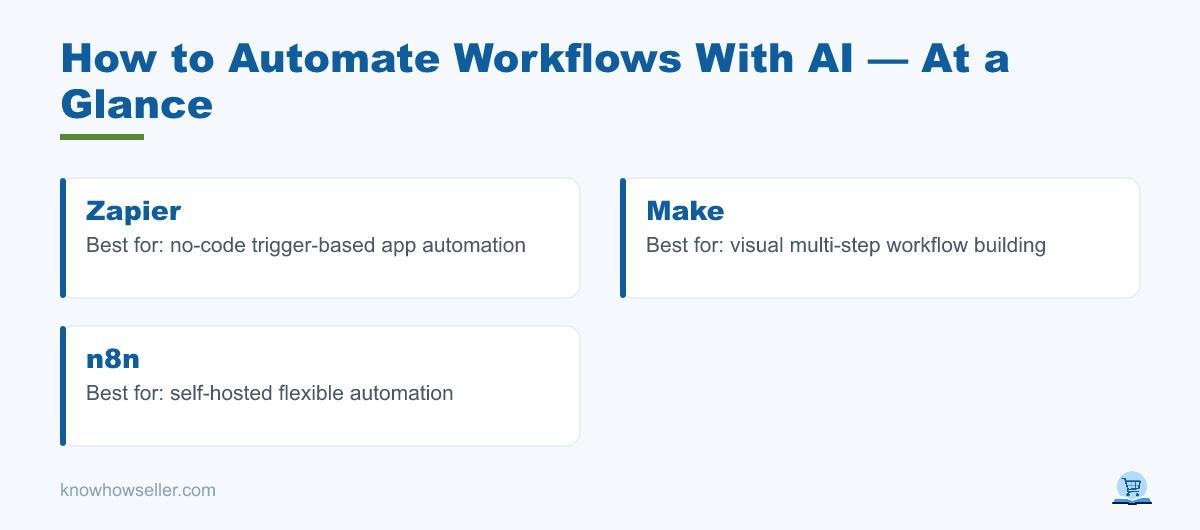
- Orchestration: Zapier, Make, or n8n to move data, listen for triggers, and connect apps.
- The AI layer: an LLM-based assistant or model API through a platform AI step, custom API call, or built-in AI node.
- Connections: your email, CRM, docs, calendar, help desk, and Slack or Teams.
Step 4 — Write and test the prompt
Give the agent a role, the exact input, the output format, and hard boundaries (“never send — only draft”). Test against a small set of real past examples before going live, and compare the output with what a human operator would have done.
Step 5 — Add a human-in-the-loop gate
For anything customer-facing, financial, legal, medical, or reputation-sensitive, route the agent’s output to a review step. You approve; the automation executes. This single guardrail prevents many costly mistakes.
Step 6 — Measure, then scale
Track time saved, error rate, approval edits, and rework per week. Only expand to workflow #2 once workflow #1 is stable.
How much time can AI workflow automation actually save?
There is no universal savings number. Real results depend on workflow volume, input quality, integrations, review burden, and how much judgment the task requires. Based on hands-on comparison and research, the best early wins usually come from workflows where AI prepares the first pass and a human approves the final action.
Practical comparison: 5 workflows, manual vs. AI-assisted
| Workflow | Manual process | AI-assisted process | Realistic outcome |
|---|---|---|---|
| Inbox triage & first-draft replies | Read, classify, and draft from scratch | AI labels messages and drafts replies for review | Less blank-page work; human still approves sensitive replies |
| Meeting notes → action items | Rewatch or reread notes, then extract owners and deadlines | AI summarizes transcript and proposes tasks | Faster follow-up, with a human checking names and dates |
| Lead enrichment & CRM entry | Research each lead and manually fill fields | Automation gathers known fields and AI drafts notes | Reduced data-entry load; source checks still matter |
| Weekly report drafting | Pull metrics and write commentary manually | Automation gathers data and AI drafts the narrative | Faster first draft; analyst reviews anomalies and conclusions |
| Content repurposing | Rewrite one asset for each channel | AI creates channel-specific drafts from an approved source | Quicker variants; editor preserves accuracy and voice |
| Total | High recurring manual effort | Lower first-pass effort with review | Useful savings when review is built in |
Method note: this is a practical comparison of common workflow patterns, not a controlled benchmark. Treat any savings estimate as local to your team until you measure it with your own tasks, tools, and review standards.
“The biggest gains usually don’t come from the agent being magical — they come from writing the workflow down clearly enough that a tool can follow it. The document is most of the win; the AI is the accelerator.” — Knowhow Seller
What are the biggest risks, and how do you avoid them?
The top risks are silent errors, over-automation, and data exposure. AI agents can produce confident-but-wrong output, so do not let one act unsupervised on high-stakes tasks. Keep a human approval gate, log every action, limit tool permissions, and start with internal workflows before anything customer-facing.
- Silent failures: add validation checks and spot-audit outputs regularly.
- Over-automation: if a task needs real judgment, empathy, negotiation, or accountability, keep it human-led.
- Data leakage: use business-tier tools, scope API keys narrowly, and avoid feeding sensitive records into consumer chatbots.
- Drift: re-test prompts when your inputs, policies, models, or tools change.
Which workflows should you automate first?
Automate high-volume, language-heavy, low-consequence tasks first: email triage, note summarization, data entry, reporting, and content repurposing. These deliver safer wins and teach you how agents behave before you trust them with revenue-critical work. Save approvals, negotiations, and edge-case judgment calls for later — or keep them human-led permanently.
Quick starter shortlist
- Summarize meetings into owners + deadlines
- Draft (not send) replies to common inbound questions
- Turn one long asset into social, email, and summary formats
- Enrich and log new leads into your CRM with source review
- Assemble a weekly metrics report from your dashboards
The bottom line
Learning how to automate workflows with AI is less about the model and more about disciplined process: pick one workflow, document it, wrap an AI step or agent around it, keep a review gate, and measure. The most reliable gains come from supervised automation that reduces first-pass work while leaving accountability with a person.