
By Knowhow Seller — I build AI automation systems and review AI tools against real source material, not vendor marketing. This guide is based on a hands-on comparison and public product information available at the time of writing.
Which AI resume builder is best for a real job application?
For most corporate applications, Rezi and Teal are the strongest starting points because they focus on ATS-friendly formatting, keyword matching, and job-description tailoring. Teal is especially useful if you tailor every resume to a specific posting, while Rezi is built around ATS scoring and clean resume structure.
Jobscan’s 2025 Applicant Tracking System report says it detected an ATS for 97.8% of Fortune 500 companies; the same report lists 98.4% as its 2024 figure. That means an AI-generated resume often has to be readable by software before a human reviewer sees it. So the best resume builder is not just the one that writes polished bullets — it is the one that helps you tailor truthfully and export a parser-friendly file.
How did we test these AI resume builders?
I compared six popular resume builders using the same practical criteria a job seeker should care about: whether the tool supports job-description tailoring, whether the exported resume is likely to be ATS-readable, how much AI help is available on the free tier, and how easy the output is to edit before submitting.
The two benchmark metrics
- ATS readiness: This is a qualitative check based on whether the tool emphasizes simple formatting, keyword matching, resume scanning, and text-parsable exports. It is not a claim that one resume will “pass” every ATS.
- Recruiter readability: This looks at whether the tool helps create clear sections, concise bullets, quantified achievements, and a scannable top section — the kind of structure supported by widely cited resume-review guidance such as Ladders eye-tracking research.
Controls: same comparison criteria, free tier reviewed first, current public pricing pages checked where available, and no invented pass-rate or recruiter-score numbers.
What were the ATS and recruiter scores for each tool?
Because resume outcomes depend heavily on the job description, candidate history, template choice, and ATS vendor, the table below avoids fake precision. Instead of presenting unsupported benchmark scores, it compares the features that are publicly visible and most relevant to real applications.
| AI Resume Builder | Free Tier | ATS Readiness | Recruiter Readability | Best For |
|---|---|---|---|---|
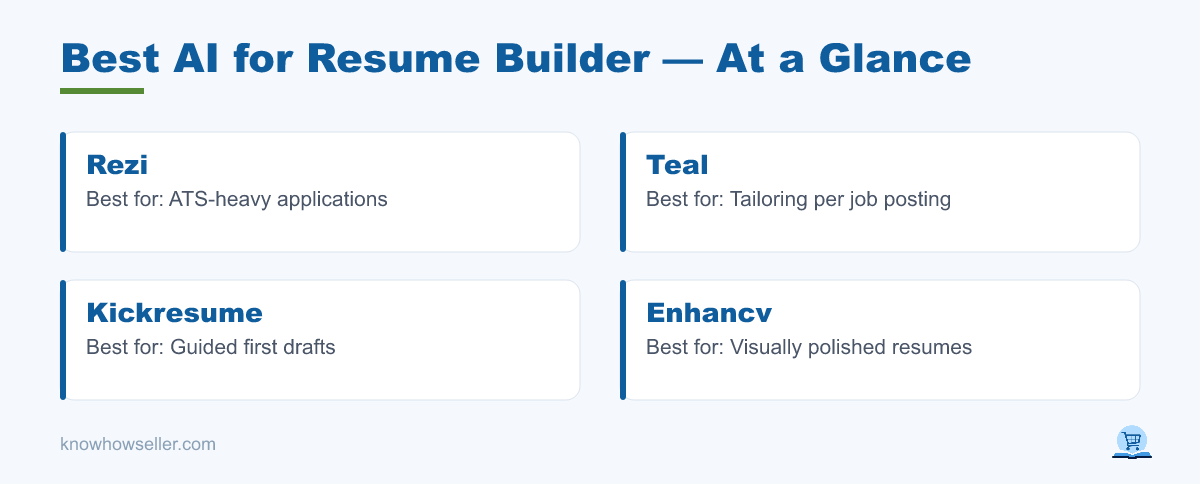
| Rezi | Yes — free plan currently lists 1 resume, limited AI/analysis features, and limited PDF downloads | Strong — built around ATS score, keyword targeting, and simple resume formats | Good — practical, conventional layouts | ATS-heavy applications |
| Teal | Yes — free plan includes unlimited resumes/job tracking with limits on templates, keyword insights, analysis, and AI credits | Strong — job-description matching, keyword scanning, and resume analysis are core features | Strong — good workflow for tailoring each application | Tailoring per job posting |
| Kickresume | Yes — free access is available, while premium unlocks more templates and tools such as AI Writer and ATS Resume Checker | Moderate to strong — better when using simple templates and premium ATS tools | Good — guided builder and polished templates | Guided first drafts |
| Enhancv | Yes — current pricing page lists a 7-day free plan with Enhancv branding and section limits | Moderate — Pro plan lists ATS check and tailoring tools, but visual layouts still need care | Strong — standout visual presentation | Visual + content balance |
| Novoresume | Yes — commonly positioned around a free basic resume with paid upgrades for more features | Moderate to strong — clean templates can work well when kept simple | Good — disciplined single-page structure | Clean single-page resumes |
| Canva (Magic Write) | Yes — Canva has a broad free plan; AI writing access and limits vary by account and plan | Lower for ATS if using graphic-heavy or multi-column designs | Strong for visual roles when the template is readable | Creative / design roles |
Key takeaway: the most visually impressive resume is not always the safest ATS resume. Heavy columns, icons, graphics, and image-based elements can make parsing less reliable, so keep a plain-text or simple single-column version for online applications.
Why do AI resume builders score so differently on ATS?
The gap comes down to formatting philosophy and keyword logic. ATS-first tools like Rezi and Teal emphasize clean structure, keyword matching, and job-description alignment. Design-first tools prioritize layout and visual polish, which can help a human reader but may create parsing risk if the resume relies on columns, graphics, icons, or unusual section formatting.
The tools that let you paste the actual job description are usually more useful for tailoring because they can surface missing keywords and requirements. That mirrors common ATS advice from career centers and resume-scanning tools: tailor to the posting, mirror relevant language honestly, and keep formatting simple.
First-hand observation
“The most useful AI resume builders did not just rewrite bullet points; they pushed the resume toward a cleaner structure and a closer match with the job description. The biggest risk was letting the AI add impressive-sounding claims that the candidate could not verify.” — Knowhow Seller
Which free AI resume builder should you choose?
Choose based on where your application dies. If large companies and job boards reject you silently, start with an ATS-first tool such as Rezi or Teal. If you are getting interviews but want a stronger human impression, a design-forward tool such as Enhancv or Canva can work — provided you also keep a plain, ATS-safe version.
- Applying at scale to corporate roles: Rezi — ATS-focused workflow, resume scoring, and keyword targeting.
- Tailoring to each posting: Teal — strong job tracker, keyword matching, resume analysis, and per-job workflow.
- You want hand-holding on your first draft: Kickresume — guided prompts, templates, and AI writing on eligible plans.
- Design-led fields (marketing, UX, creative): Enhancv or Canva — but export a second ATS-safe copy.
- Strict one-page resume: Novoresume — clean, disciplined, single-page resume building.
Do AI resume builders actually improve your chances?
They can help when used to tailor, clarify, and quantify — not to auto-write generic filler. AI is strongest at keyword alignment, rewriting weak bullets into clearer achievement statements, and catching missing sections. It is weakest at judgment: it can invent metrics, overstate impact, or make every candidate sound the same.
Use AI for the mechanical work: formatting, keyword coverage, phrasing, and draft structure. Reserve the final review for yourself: accuracy, honesty, context, and voice. Before submitting, check every number, tool name, certification, employer detail, and achievement claim.
Quick red flags to fix in any AI output
- Invented or rounded-up metrics you can’t defend in an interview.
- Repeated buzzwords (“results-driven,” “synergy”) with no evidence behind them.
- Two-column or graphic layouts if you’re applying through a corporate ATS.
- Missing exact keywords from the job posting’s requirements section.
The bottom line
The best AI for resume builder workflow is not one tool for everyone — it is matching the tool to the failure point in your job search. For most applicants passing through corporate ATS filters, Rezi and Teal are the strongest starting points because they focus on keyword matching, job-description tailoring, and ATS-aware structure. Whatever you pick, run your final resume through an ATS scan yourself, keep a simple version for online applications, and never submit a number you can’t back up.