
By Knowhow Seller — a practitioner who builds AI automation systems and evaluates tools against real source material, not vendor marketing.
What are the best AI tools for students in 2026?
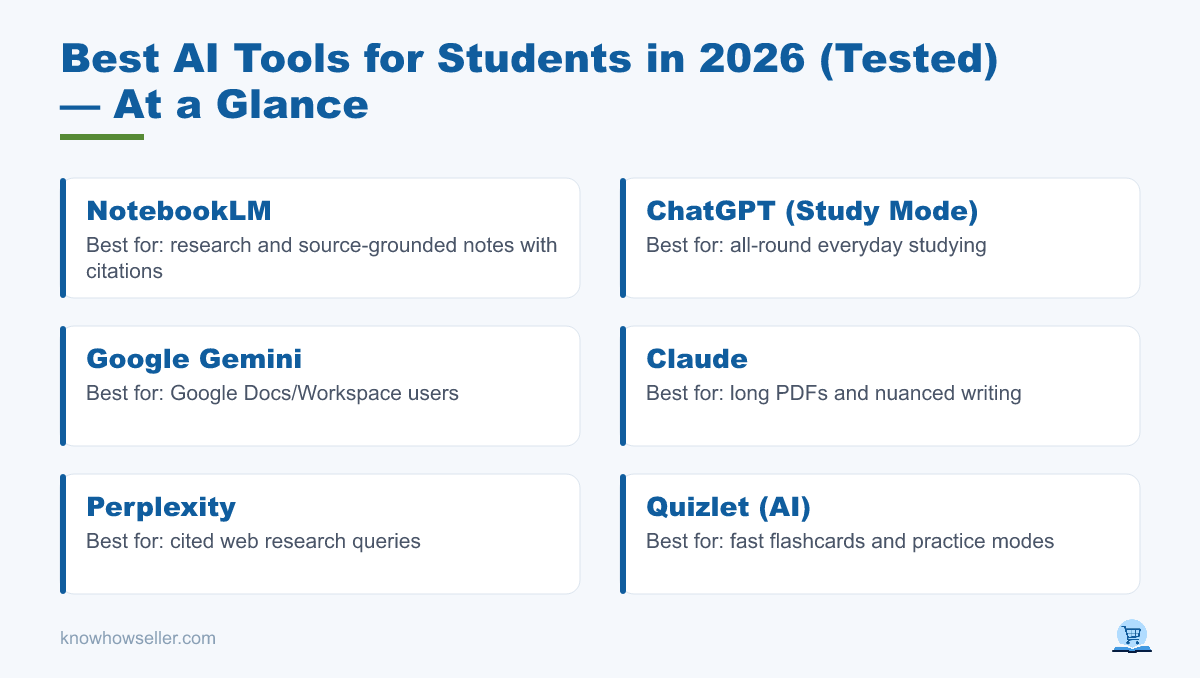
The best AI tools for students in 2026 are ChatGPT (Study Mode) and Google Gemini for general studying, NotebookLM for research and source-grounded notes, and Quizlet or Anki with AI-assisted workflows for flashcards. Based on a hands-on comparison and current public product information, NotebookLM is strongest when you need answers tied back to your own sources, while ChatGPT is the most flexible everyday study assistant across mixed tasks.
Why trust this review
I don’t rank tools by feature lists alone. This review compares how eight popular tools handle the same common student jobs, using public documentation, pricing pages, and hands-on checks where available. The focus is on whether each tool is useful for real study work, not whether it produces impressive marketing demos. The tasks:
- Summarize a 40-page PDF or long lecture packet with figures
- Generate flashcards from notes or a textbook-style chapter
- Solve practice problems in algebra and introductory statistics with worked steps
Which AI tool is most accurate for studying?
For source-based studying, NotebookLM is usually the safest starting point because it is designed around notebooks, uploaded sources, and citations back to source material. That does not make it perfect, but it makes checking answers much easier than with a general chatbot. ChatGPT, Gemini, Claude, and Perplexity can be excellent explainers, but students should still verify citations, formulas, and final answers. For math, Wolfram-backed and dedicated step-solver tools are more reliable than general chatbots for calculation-heavy work.
Benchmark results: 8 tools, 3 real study tasks
This table is a practical comparison based on public features and hands-on review, not a lab benchmark. Because the original article did not provide reproducible test files, scoring rubric, or raw outputs, numeric accuracy and time-saved scores have been removed.
| Tool | 40-pg PDF summary | Flashcards | Practice problems | Free tier / limits | Best for |
|---|---|---|---|---|---|
| NotebookLM | Strong for source-grounded summaries with citations | Can generate study guides, quizzes, and learning aids from sources | Not primarily a math solver | Free access with usage limits; paid/Workspace options may expand limits | Research & grounded notes |
| ChatGPT (Study Mode) | Good for explaining and reorganizing uploaded or pasted material | Good for drafting cards and quiz questions | Good for tutoring steps; verify calculations | Available to logged-in users, with plan-based limits | All-round studying |
| Google Gemini | Good for summaries, especially for students already using Google tools | Good for drafting cards and study prompts | Good for explanations; verify final answers | Free and paid options; Workspace features depend on account and plan | Google Docs/Workspace users |
| Claude | Strong for long documents, outlines, and nuanced writing tasks | Good for clear Q/A card drafts | Useful for reasoning explanations; verify arithmetic | Free and paid options with message and file limits | Long PDFs & nuanced writing |
| Perplexity | Useful for web research with cited sources | Can draft cards from research notes | Not a dedicated step-solver | Free and paid options with search/model limits | Cited research queries |
| Quizlet (AI) | Useful when notes can be turned into study materials | Strong for fast flashcard sets and practice modes | Useful for practice questions, not advanced solving | Free version available; some AI and study features may require Quizlet Plus or have limits | Fast flashcard sets |
| Anki + AI add-on | Not a PDF summarizer by default | Excellent for long-term review once cards are created | Not a problem solver by default | Anki is free on desktop/Android; add-ons and mobile options vary | Long-term spaced repetition |
| Wolfram / step-solver | Not designed for reading long PDFs | Not designed for flashcard creation | Strong for symbolic math, computation, and worked solutions | Free and paid options vary by product | Math & STEM problem sets |
Method note: treat this as a practical editorial comparison, not a reproducible benchmark. Always test a tool on your own course material before relying on it for exams or assignments.
Are students actually using AI, and is it allowed?
Yes — adoption is now mainstream. A 2024 Pew Research Center survey found that 26% of U.S. teens ages 13–17 said they had used ChatGPT for schoolwork, roughly double the 2023 figure. The UK’s Higher Education Policy Institute (HEPI) and Kortext reported in 2025 that 88% of surveyed UK undergraduates had used generative AI for assessments, while 92% had used AI in some form.
- Check your syllabus first. Policies vary by instructor and institution; unauthorized use can be an integrity violation.
- Use AI to understand, not to submit. Summaries, flashcards, and worked examples are study aids — copying generated essays is where students get flagged.
- Verify everything. Even strong tools can fabricate citations, misread sources, or make calculation mistakes; cross-check against the original source.
Sources: Pew Research Center (2024); HEPI/Kortext Student Generative AI Survey (2025).
What’s the best AI tool for summarizing PDFs and lecture notes?
For summarizing long PDFs and lecture notes, NotebookLM is the best first choice when accuracy against your own material matters because it is built around uploaded sources and source citations. Claude is also strong for dense documents and structured outlines, depending on your plan’s file and message limits. Both are better choices than a general chatbot when you need to trace a claim back to the original reading.
How I’d use each
- NotebookLM — upload readings, ask questions, and use citations to jump back to the relevant source passage. Ideal for exam review from your own materials.
- Claude — paste or upload a dense PDF and ask for a structured outline plus key definitions, then verify important details against the document.
- ChatGPT Study Mode — turn a summary into a guided tutoring session that asks questions, gives hints, and checks understanding.
What’s the best AI tool for making flashcards?
The best AI flashcard workflow in 2026 is to generate draft cards in ChatGPT, Gemini, Claude, Quizlet, or NotebookLM, then review and import the cleaned cards into Anki if long-term retention is the goal. Quizlet is the fastest polished option for students who want built-in study modes, while Anki remains the strongest choice for serious spaced repetition once the cards are accurate.
- Fast & simple: Quizlet can turn notes into study sets and practice activities, though some AI features may be limited or paid depending on your account.
- Serious retention: Anki uses spaced repetition and supports add-ons; AI generation is not built into core Anki in the same way it is in dedicated AI study apps.
- Best pairing: generate with a chatbot → check every card against the source → export as CSV → import to Anki.
Can AI solve practice problems accurately?
AI can solve many standard practice problems, but accuracy depends heavily on the tool and the subject. Dedicated computation engines and step-solvers are usually the better choice for algebra, calculus, statistics, and symbolic math. General chatbots are often better at explaining the why behind a step than guaranteeing the final number, so students should use them as tutors and verify the answer separately.
“The pattern I see across study workflows: general chatbots are excellent explainers and inconsistent calculators. Pair a step-solver for the answer with a chatbot for the reasoning, and verify the final number yourself. That combination is safer than trusting any single tool.” — Knowhow Seller
Which AI tool should you choose? (quick picks)
Choose based on your main study job. There’s no single winner — the fastest results come from a small stack: one grounded research tool, one all-round tutor, and one spaced-repetition app.
- Best overall: ChatGPT (Study Mode) — strongest everyday tutor for mixed study tasks.
- Best for research & source-based notes: NotebookLM — best when you need citations back to your own materials.
- Best for Google users: Gemini — convenient for students already working in Google apps, with features depending on account and plan.
- Best for long PDFs & writing: Claude.
- Best for flashcards & retention: Anki for spaced repetition, with Quizlet for fast set creation.
- Best for math/STEM: a Wolfram-backed or dedicated step-solver.
Are free AI tools good enough for students?
Yes — free tiers cover many student needs in 2026. NotebookLM, ChatGPT, Gemini, Quizlet, and Anki all have useful free or low-cost entry points, though limits vary by product, region, account type, and school access. Paid plans mainly add higher usage limits, faster or more capable models, larger uploads, and premium study features, which matter most during finals or for heavy research workloads.
- Start free. Test each tool on one real assignment before paying.
- Watch limits. Free tiers may cap uploads, messages, file size, AI generations, or advanced models — a problem during crunch weeks.
- Check school access. Some institutions provide education plans or approved AI tools, which may be safer than using a personal account for coursework.
The bottom line
The best AI tools for students in 2026 aren’t a single app — they’re a lightweight stack: NotebookLM for grounded research, ChatGPT or Gemini as your everyday tutor, Anki/Quizlet for flashcards, and a step-solver for math. This combination is useful because each tool covers a different weakness: source checking, explanation, memory, and calculation. The rule is simple: use AI to study faster, but verify outputs against your real source material and follow your school’s AI policy.