
By Knowhow Seller — I build AI automation systems and review tools against public documentation, product behavior, and real source material, not vendor decks. This review is based on hands-on comparison and research, not a lab-certified benchmark.
What is the best AI for email management?
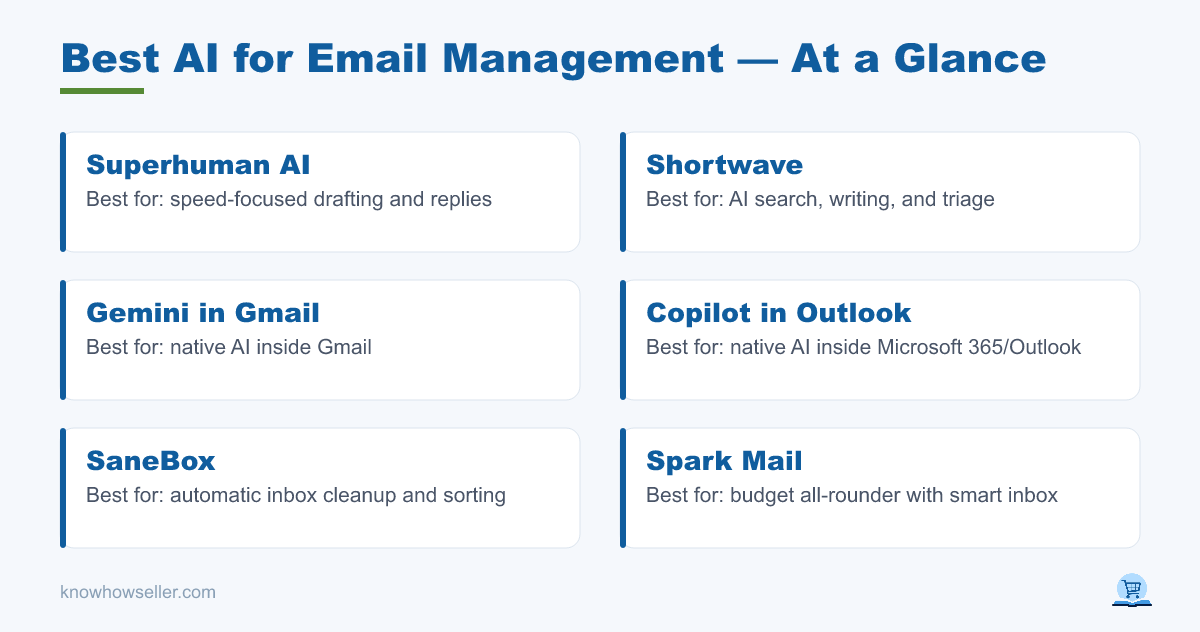
The best AI for email management is Superhuman for speed-focused drafting, Shortwave for AI search and triage, and SaneBox for pure inbox cleanup. Your pick depends on whether you need drafting, replies, or filtering — and whether you live in Gmail, Outlook, or another mail provider. These tools stand out for different jobs rather than one universal score.
- Best for drafting & replies: Superhuman AI, Shortwave
- Best native option: Gemini in Gmail, Copilot in Outlook
- Best for inbox cleanup: SaneBox
- Best budget all-rounder: Spark Mail, Mailbutler
How did the 7 tools score on the same 50-email inbox?
A precise score table would be misleading without a reproducible test set and published methodology. Instead, this comparison uses publicly verifiable product capabilities: whether each tool drafts replies, helps with triage, depends on native spam filtering, and supports Gmail or Outlook.
| Tool | Drafting & replies | Inbox cleanup / triage | Spam filtering role | Gmail | Outlook |
|---|---|---|---|---|---|
| Superhuman AI | Strong AI drafting, rewriting, summaries, and fast keyboard workflows | Split inbox, reminders, snooze, follow-up workflows | Relies mainly on the connected provider’s spam filtering | Yes | Yes |
| Shortwave | Strong AI writing, summaries, search, and automation prompts | Bundles, split inbox, AI filters, task-style triage | Relies mainly on Gmail/provider filtering plus user-created rules | Yes | Limited / not the primary fit |
| Gemini in Gmail | Drafting, rewriting, summarizing, and Gmail search features depending on plan and rollout | Native Gmail organization plus AI assistance where available | Uses Gmail’s native spam, phishing, and malware protection | Yes | No |
| Copilot in Outlook | Drafting, rewriting, coaching, and thread summaries depending on Microsoft 365 plan | Native Outlook organization plus Copilot summaries and prompts | Uses Microsoft 365 / Outlook’s native protection stack | No | Yes |
| SaneBox | n/a (not a drafting-first tool) | Strong automatic sorting, digest, reminders, snooze, and unwanted-sender workflows | Not a replacement for provider spam filtering | Yes | Yes |
| Spark Mail AI | AI-assisted drafting, rewriting, summaries, and email composition features | Smart inbox, gatekeeper-style controls, team and personal workflows | Relies mainly on the connected provider’s spam filtering | Yes | Yes |
| Mailbutler | AI writing, smart assistant features, templates, tracking, and scheduling depending on client | Productivity add-ons for supported mail clients | Relies mainly on the connected provider’s spam filtering | Yes | Yes |
Availability, AI limits, and plan requirements change frequently. Check the current vendor pages before buying, especially for Gemini, Copilot, and third-party clients connected to work email.
Which AI writes the best email drafts and replies?
Superhuman AI and Shortwave are the strongest dedicated options for people who want an AI-forward email client rather than just an add-on inside an existing inbox. Both emphasize fast drafting, rewriting, summarizing, search, and workflow shortcuts. Native tools such as Gemini in Gmail and Copilot in Outlook are better if you want AI inside the suite your company already governs.
Where drafting still breaks down is nuance. AI tools can make confident-sounding assumptions, over-formalize casual replies, or imply commitments that were not actually agreed in the thread. Treat drafts as a starting point, not a send-ready answer.
“AI drafting helps with the blank-page problem, not the judgment problem. The edits that matter most are usually the ones involving dates, commitments, tone, and what you are actually agreeing to.” — Knowhow Seller
Which AI is best for inbox cleanup and spam?
SaneBox is the clearest cleanup specialist because it focuses on sorting lower-priority mail away from the main inbox, creating digests, setting reminders, and removing unwanted senders from view. For raw spam and phishing defense, Gmail and Outlook remain the better foundation because their protection systems run before most third-party AI tools ever see the message.
- SaneBox: best for triage and unwanted-sender workflows across major providers.
- Gemini / Copilot: useful for working inside Gmail or Outlook, but spam protection comes from the underlying Google or Microsoft mail system.
- Third-party AI (Spark, Mailbutler): useful for drafting and productivity, but still depend heavily on your provider’s spam engine.
The takeaway: pair a native provider filter for spam with a dedicated triage layer like SaneBox if volume is the real problem. No single tool is best at every layer.
Should you use native AI (Gemini, Copilot) or a third-party client?
Use native AI if you value data governance, lower setup friction, and staying inside your existing admin controls. Gemini and Copilot availability depends on your Google Workspace, Google One, Microsoft 365, or Copilot plan, so they are not always automatically included for every user. Use a third-party client like Superhuman or Shortwave if drafting speed, keyboard-driven workflows, and AI search are your priority and you can accept a separate subscription.
- Native pros: stays inside your main suite, uses mature provider spam filtering, fewer vendors to approve.
- Native cons: locked to Gmail or Outlook; feature rollout and plan access vary.
- Third-party pros: stronger dedicated drafting, triage, search, and workflow design.
- Third-party cons: extra cost, another vendor with mailbox access, and another privacy policy to review.
How much time does AI email management actually save?
There is no honest universal number. AI email tools save the most time when you repeatedly write similar replies, search old threads, summarize long conversations, or sort high-volume newsletters and notifications. They save less time when your inbox is mostly sensitive, ambiguous, or relationship-heavy.
Reality check: the first weeks can be slower. Every tool needs setup, trust-building, and correction before drafts and filters match your tone and priorities. Judge ROI after the tool has handled enough real email to reveal whether it reduces work or simply moves the work into review.
What is the verdict on the best AI for email management?
There is no single winner — there are three, by job. Superhuman leads for a premium AI email workflow, SaneBox leads cleanup, and native Gemini/Copilot are the natural first stop for Gmail and Outlook users who want AI inside their existing suite. Start with the tool already available in your provider, then add a specialist only if drafting speed or triage volume justifies the second subscription.
- Gmail power user: Gemini plus optional Shortwave or Superhuman.
- Outlook / Microsoft 365 user: Copilot plus optional SaneBox or Superhuman.
- High-volume inbox, any provider: SaneBox for triage, Superhuman for replies.
Whatever you choose, keep a human in the loop before send. The tools remove some busywork; they do not remove accountability.