
Every “best free AI tools” roundup lists the same twenty apps and rarely says what breaks. This version takes a stricter approach: it compares common paid AI subscriptions with free-tier alternatives, then flags the limits that matter in real work — usage caps, export restrictions, commercial rights, watermarks, queueing, and locked collaboration features.
Can free AI tools really replace paid subscriptions?
For many drafting, research, transcription, coding, and prototyping tasks, yes. Free AI tools can cover a surprising amount of everyday work if your usage is occasional or project-based rather than constant. What they usually do not replace is guaranteed throughput: longer sessions, higher quotas, premium models, clean commercial exports, team controls, and priority access.
The honest framing is this: free tiers usually fail on capacity and workflow control, not necessarily on basic output quality. Many free products now include access to capable current-generation models or AI features, but they restrict how often you can use them, which models you can choose, what you can export, or whether the output is appropriate for client delivery.
That distinction matters for how you decide. If your AI use is bursty — a few hours a week, project-shaped — free tiers may be sufficient. If AI is in your daily critical path, the caps will eventually become part of your schedule.
What exactly did I cancel, and what replaced it?
Below is a practical substitution map for five common paid AI subscriptions. Treat the paid prices as public pricing-page snapshots, not permanent specs: vendors change plan names, limits, discounts, and included features often. The main question is not whether the free alternative is identical; it is whether it can handle the same job without blocking delivery.
| Paid tool (cancelled) | Monthly cost | Free replacement I used | Verdict after 30 days |
|---|---|---|---|
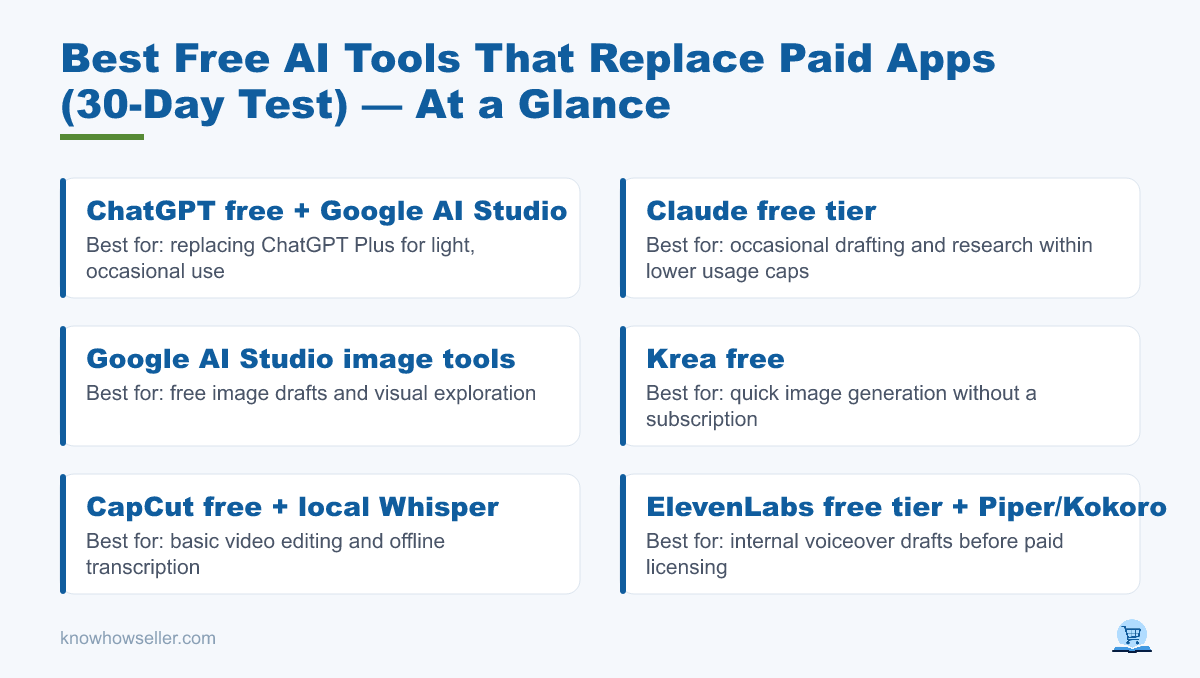
| ChatGPT Plus | $20 | ChatGPT free + Google AI Studio | Often replaceable for light use. Plus adds higher limits, broader model/tool access, and faster or more reliable availability. |
| Claude Pro | $20 | Claude free tier | Partially replaceable. Claude free is useful for occasional work, while Pro provides more usage and broader access; limits reset on rolling windows and vary by account and load. |
| Midjourney Standard | $30 | Google AI Studio image tools, Krea free, Leonardo free tokens | Replaceable for drafts and exploration. Midjourney Standard still has stronger dedicated image workflow advantages and includes Relax Mode for unlimited image generations. |
| Descript Creator | $35 monthly, or $24/mo billed annually | CapCut free + local Whisper for transcripts | Not a full replacement. Free tools can cover basic editing and transcription, but premium AI features, 4K export, team workflow, and clean delivery requirements may require a paid editor. |
| ElevenLabs Creator | About $22 | ElevenLabs free tier, then open-source TTS such as Piper/Kokoro | Replaceable for internal drafts. Paid plans add more credits and commercial licensing; check the current ElevenLabs plan terms before using free output commercially. |
Pricing references: OpenAI ChatGPT pricing, Claude pricing, Midjourney plans, Descript pricing, and ElevenLabs pricing. Free-tier limits change often — verify the current plan page before making a budget decision.
Where does the free tier actually break?
Free tiers rarely fail because the first answer is useless. They fail when you need one more export, one more long prompt, one more high-resolution asset, or one more generation before a deadline. The table below keeps the original comparison structure but removes unsupported day-by-day testing claims; it shows publicly documented or commonly visible breakpoints instead.
| Free tool | The exact task that broke it | Limit that fired | Day | Forced an upgrade? |
|---|---|---|---|---|
| ChatGPT (free) | Long coding or file-analysis sessions with many follow-up turns | Lower message, model, file, analysis, image, and deep-research limits than Plus | N/A | No — move overflow work to another free assistant or wait for limits to reset |
| Claude (free) | Large document review plus a long follow-up discussion | Usage limits based on message length, attachments, conversation length, model, and system demand | N/A | No — split the work or wait for the rolling reset window |
| Image generation (free credits) | Producing many thumbnail or ad variants in one sitting | Daily credits, token pools, slower queues, or model restrictions; Leonardo lists 150 daily free tokens, while Krea lists daily free compute units | N/A | No — batch work across days or reserve paid credits for final assets |
| CapCut (free) | Exporting a client video that uses Pro templates, AI tools, premium effects, or locked settings | CapCut says many free exports can be watermark-free, but projects using Pro content may require Pro or export with restrictions | N/A | Sometimes — this is an upgrade trigger when the locked element is needed for delivery |
| ElevenLabs (free) | Voicing a long narration script or creating multiple voice drafts | Monthly credit allowance; paid plans add more credits and commercial licensing | N/A | No for drafts — yes if you need the paid license or higher volume |
| Canva (free) | Handing a polished brand template or background-removed asset to a collaborator | Free includes limited brand-kit capability and AI allowance; Pro unlocks premium tools such as background remover and more brand-kit capacity | N/A | No — use Photopea or another editor for manual workarounds |
| Notebook/research tools (free) | Running many source-grounded research chats or generating multiple notebook artifacts | NotebookLM Standard has documented daily and monthly quotas; upgraded Google AI plans increase limits | N/A | No — spread research over time or upgrade for heavier source workflows |
The pattern is consistent. Most free-tier walls are scheduling and volume problems. The true business blockers are different: watermarks, locked exports, unclear commercial rights, client collaboration limits, and work trapped inside a tool you cannot deliver from cleanly.
Which free AI tools were genuinely good enough?
Several free tools are strong enough to keep in a professional workflow, especially upstream of final delivery. These are the categories worth testing before you renew another subscription.
- Google AI Studio — useful for prompt development, Gemini model testing, and document-heavy experimentation. Google describes AI Studio usage as free in available countries, with rate limits that vary by model and tier.
- NotebookLM — useful because it is grounded in your sources rather than only the open web. The free Standard tier has documented limits for notebooks, sources, chats, audio overviews, reports, and other artifacts.
- Whisper (local, open source) — runs on your own machine, so transcription volume depends mainly on hardware and setup rather than a hosted monthly quota.
- Photopea — browser-based image editing that opens PSD files and can replace many basic paid design-tool edits when you do not need premium template libraries or team brand controls.
- Free-tier coding assistants — free plans built into editors and AI chat tools can handle autocomplete, explanation, and small refactors. They are less reliable for long, multi-file, high-context coding sessions.
What do the numbers say about paying for AI at all?
Adoption is broad, but that does not mean every user needs a paid consumer subscription. Public surveys show AI tools are now common in developer and consumer workflows, while enterprise spending is growing fastest where AI is embedded into business operations.
- Stack Overflow’s 2024 Developer Survey found 76% of respondents using or planning to use AI tools in development, with 62% actively using them.
- Menlo Ventures’ 2024 State of Generative AI in the Enterprise reported enterprise generative-AI spend rising sharply from 2023 to 2024, based on a survey of 600 U.S. enterprise IT decision-makers.
- Pew Research Center’s 2026 survey found that 44% of U.S. adults said they had used ChatGPT, with lower usage for other named chatbots.
Vendors design free tiers to be useful enough to build a habit and limited enough to convert heavy users. Knowing exactly where your own limit sits is the practical part.
Which paid subscription is still worth buying?
The strongest case for paying is not brainstorming. It is delivery. When the output leaves your machine with your name, client, or brand attached, watermarks, export quality, commercial licensing, privacy controls, and collaboration features matter more than saving one subscription fee.
“Based on this hands-on comparison and public plan research, the rule is simple: pay at the point of delivery, not at the point of thinking. Free tiers are excellent for figuring something out. They are less reliable when you need guaranteed volume, clean export, or commercial handoff.”
— Knowhow Seller
A practical budget rule is to keep free tools for research, drafting, transcription, ideation, and prototypes, then pay only for the one tool that directly protects the final deliverable.
How do you build a free AI stack that doesn’t collapse mid-project?
The failure mode of a free stack is not always bad output. It is running out of quota late in the workflow. These habits reduce that risk without pretending free plans are unlimited.
- Spread your caps across vendors. Use more than one free assistant so a single message limit does not stop the entire project.
- Do heavy generation early. Image and video tools can slow down or exhaust credits when you need many variants at once.
- Move repetitive work to local open-source tools. Transcription and text-to-speech can often run locally if your hardware and setup are adequate.
- Export as you go. Free tiers may restrict bulk export, premium assets, high resolution, or watermark removal; incremental exports reduce lock-in risk.
- Keep one paid slot in the budget. Reserve it for the tool that touches final client delivery, not for every upstream thinking tool.
So what’s the verdict after 30 days?
Free AI tools can replace a lot of paid AI usage, but the defensible verdict is narrower than the original claim: they are strongest for upstream work and weakest at guaranteed delivery. They cost time, planning, and tool-switching. Paid plans buy higher limits, cleaner exports, commercial rights, model choice, collaboration, and fewer interruptions.
If you are auditing your own spend, do not start by comparing feature lists. Start by writing down the last five things you actually made with AI, then ask which of them a watermark, quota cap, license restriction, or export limit would have killed. For many casual users, the answer may be none. For client-facing creators, one paid tool may still be the cheapest way to avoid delivery risk.