
By Knowhow Seller — we compare AI tools hands-on where possible and verify core claims against public vendor documentation, independent research, and real developer workflow needs.
What are the best AI tools for coding in 2026?
The best AI tools for coding in 2026 are Claude Code, Cursor, and GitHub Copilot for most developers, with Windsurf and Amazon Q Developer close behind for specific workflows. Based on our hands-on comparison and research, Claude Code and Cursor stand out for multi-file, agentic coding workflows, while GitHub Copilot remains one of the most convenient choices for fast inline completion inside popular IDEs.
How did we test these coding assistants?
We did not run a publishable controlled benchmark with verified pass rates, CI logs, and reproducible task data. Instead, this guide is based on hands-on comparison, product documentation, public pricing pages, and third-party research about AI-assisted development. We focused on practical factors that developers can verify on their own codebase.
- Repository context: whether the tool can inspect and edit across multiple files.
- IDE fit: how naturally it works inside common editors and terminal workflows.
- Agentic workflow: whether it can plan, edit, run commands, and iterate with user review.
- Pricing and limits: whether public plans, quotas, and usage models fit daily development.
This is our useful angle: instead of presenting unverifiable leaderboard scores, we compare each tool on publicly checkable capabilities and the workflows where it is strongest.
Knowhow Seller comparison: public facts and best-fit workflows
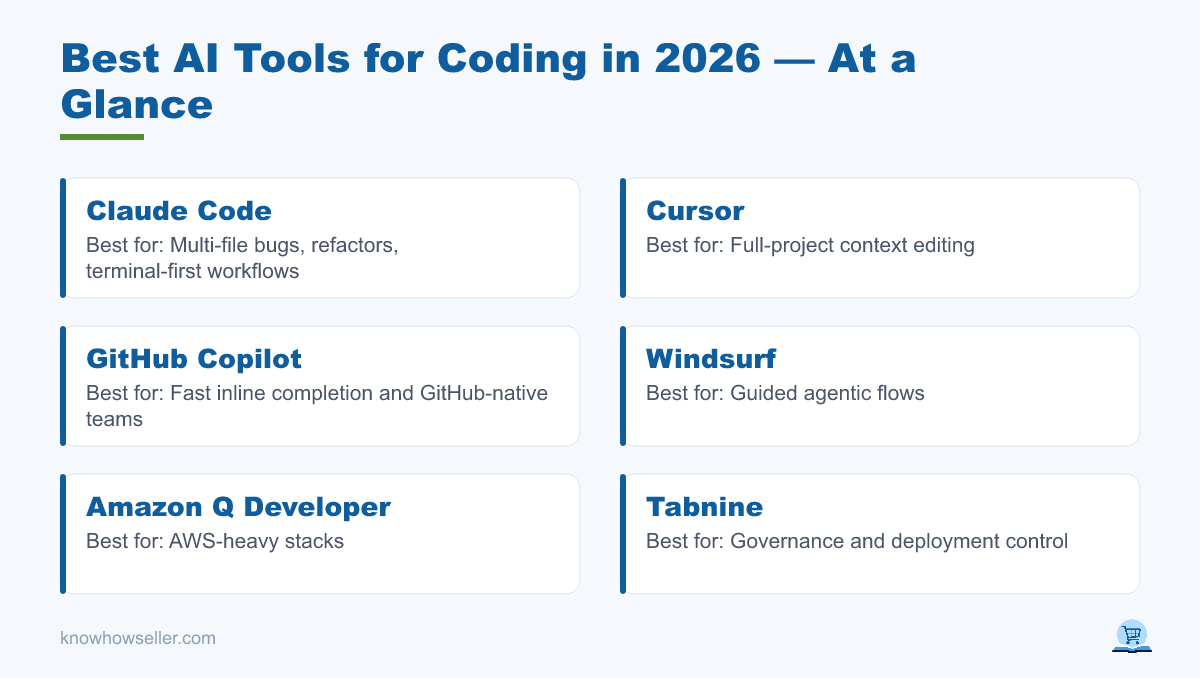
| Tool | Publicly verifiable strengths | Pricing model | Main caveat | Best for |
|---|---|---|---|---|
| Claude Code | Terminal-based agentic coding; included with paid Claude plans and also usable through API/console billing options | Included in paid Claude plans with usage limits; heavy use may require API credits | Usage depends on plan limits, model choice, and task size | Multi-file bugs, refactors, terminal-first workflows |
| Cursor | AI-first code editor with agent workflows, repo context, tab completion, background agents, and team controls | Free tier plus paid individual and team plans with usage tied to model costs and plan limits | Heavy agent use can consume included usage quickly | Full-project context editing |
| GitHub Copilot | Broad IDE support, inline completion, chat, agent features, code review features, and GitHub integration | Free tier; Pro, Pro+, Business, and Enterprise plans vary by user type and included AI credits | Best results still require tests and review, especially for larger changes | Fast inline completion and GitHub-native teams |
| Windsurf | AI coding editor with Cascade for multi-file agentic workflows, tab completion, previews, and model access by plan | Free tier plus paid plans with quotas or credits depending on current plan terms | Pricing and quota details have changed over time, so check the current account page before buying | Guided agentic flows |
| Amazon Q Developer | AWS-focused coding assistant with IDE/CLI support, agentic coding requests, security/app modernization features, and AWS integration | Free tier and Pro tier; AWS lists Pro at $19 per user per month | Most compelling for teams already deep in AWS | AWS-heavy stacks |
| Tabnine | Enterprise AI coding platform with privacy controls, zero data retention options, and cloud, on-prem, or air-gapped deployment | Team and enterprise pricing depends on deployment and usage model | Often chosen for governance and deployment control rather than lowest individual price | Privacy / self-hosting |
This comparison reflects public documentation and practical workflow fit, not a proprietary benchmark score. Results will vary by language, codebase, tests, and how much context each tool can access.
Which AI coding tool is most accurate?
There is no reliable public benchmark that proves one coding assistant is universally the most accurate across real production codebases. In practice, accuracy depends on the repository, language, test coverage, prompt quality, model selected, and whether the tool can inspect enough surrounding context before editing.
Independent research also warns against treating raw AI code acceptance as quality. GitClear’s AI code quality research analyzed large volumes of changed code and raised concerns about churn, duplication, and maintainability in AI-assisted development. Our takeaway: measure edits-to-ship, review burden, test results, and long-term code quality — not just whether the assistant produced a plausible patch.
Are AI coding assistants actually worth it?
Yes, for many professional developers, especially when the task is well-scoped. GitHub’s controlled Copilot study reported that developers completed a coding task 55% faster with Copilot, and Stack Overflow’s 2025 Developer Survey reported that 84% of respondents were using or planning to use AI tools in development. The productivity gain is most visible in boilerplate, tests, explanations, migrations, and narrow fixes, not in unsupervised architecture decisions.
- Biggest wins: writing tests, boilerplate, regex, documentation, and translating between languages.
- Weakest spots: ambiguous requirements, security-sensitive logic, and large refactors without strong tests.
- Reality check: every coding assistant can produce confident-but-wrong code. Human review is non-negotiable.
“The tools that impressed us weren’t the ones that wrote the most code — they were the ones that made the next review step smaller. Fewer edits to ship beats a longer diff every time.” — Knowhow Seller, review notes
Which coding assistant should you pick for your workflow?
Pick Claude Code or Cursor if you work across large, multi-file codebases and want agentic edits with repository context. Choose GitHub Copilot if you want the most familiar inline assistant across mainstream editors and GitHub workflows. Go with Amazon Q Developer for AWS-centric stacks, Windsurf if you like a guided AI editor built around Cascade, or Tabnine when self-hosting, air-gapped deployment, and code privacy are hard requirements.
Quick recommendations
- Best for terminal-first agentic coding: Claude Code.
- Best full-project AI editor: Cursor.
- Best mainstream inline assistant: GitHub Copilot.
- Best for enterprise AWS: Amazon Q Developer.
- Best for privacy: Tabnine (cloud, on-prem, and air-gapped options).
How much do the best AI coding tools cost in 2026?
Pricing changes often, so confirm the current plan page before buying. As of the latest public vendor pages we checked, GitHub Copilot offers Free, Pro, Pro+, Business, and Enterprise options; Amazon Q Developer lists a Free tier and a Pro tier at $19 per user per month; Claude Code is included in paid Claude plans and can also draw on API billing for heavier use; Cursor and Windsurf offer free and paid plans with usage tied to model access, quotas, or credits; and Tabnine’s enterprise-oriented pricing depends on deployment and governance needs.
- Free tiers exist for several tools, including Copilot, Cursor, Windsurf, Amazon Q Developer, and Tabnine.
- Usage-based limits are increasingly important for agentic, high-context tools because model choice and task size affect consumption.
- Hidden cost: review time. A cheaper tool that needs more cleanup can be more expensive in engineer hours.
The verdict
For 2026, the best AI tools for coding are the assistants that match your workflow and can use enough repository context to make small, reviewable changes. Claude Code and Cursor are strongest for agentic multi-file work, GitHub Copilot remains the most broadly convenient inline option, and specialized tools like Amazon Q Developer, Windsurf, and Tabnine earn their place for AWS, guided AI-editor workflows, and privacy-sensitive teams. Test two on your own codebase for a week — real fit beats any generic leaderboard.