
By Knowhow Seller — we compare AI tools through hands-on use where available, public documentation, pricing pages, and license terms. This guide avoids vendor hype and flags details that change often.
What are the best AI tools for image generation in 2026?
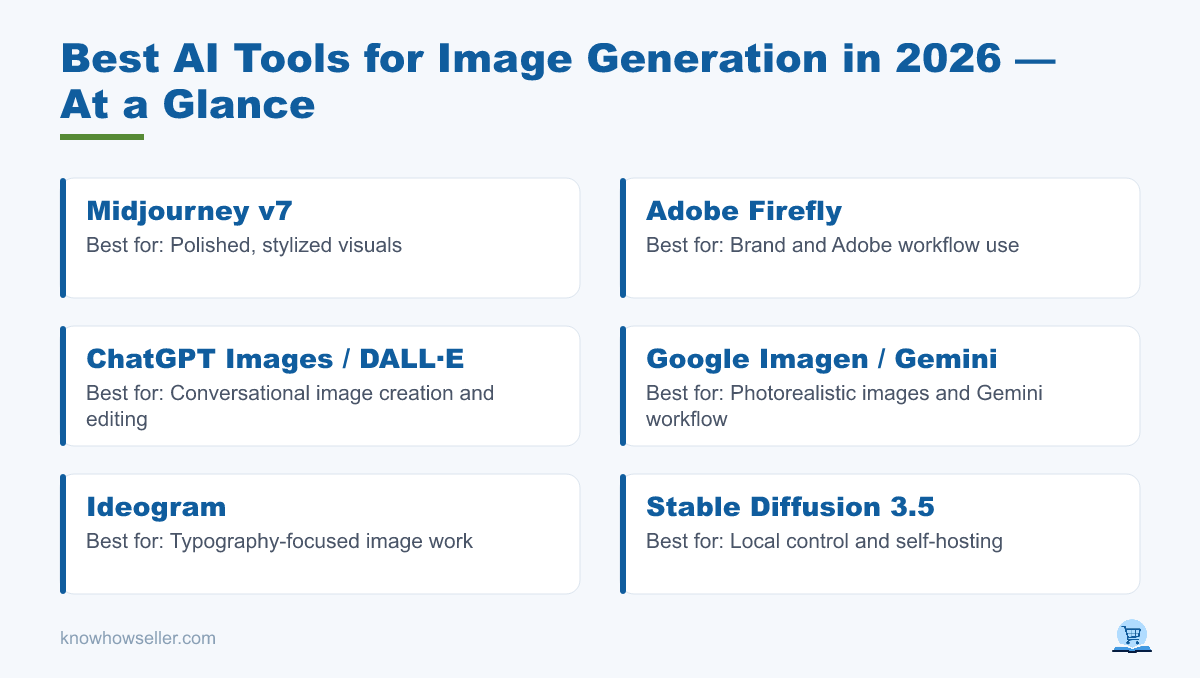
The best AI tools for image generation in 2026 are Midjourney v7, Adobe Firefly, ChatGPT Images / DALL·E, Google Imagen in Gemini, Ideogram, and Stable Diffusion 3.5. Midjourney remains a strong choice for polished visual style, Firefly is built around commercially usable Adobe-generated outputs, ChatGPT is convenient for conversational creation and editing, Ideogram is known for typography-focused image work, and Stable Diffusion is best for local control. Your best pick depends on budget, licensing needs, workflow, and how much control you need over edits and deployment.
Free vs paid AI image generators: which should you choose?
Choose a free tool if you’re experimenting, learning prompts, or generating personal images. Choose paid if you need higher usage limits, private generations, faster queues, broader editing features, or clearer business terms. Free tiers usually come with usage caps, public galleries, slower queues, or reduced access to premium models; paid plans tend to unlock higher limits, priority generation, private mode, advanced editing, and stronger support options.
- Free strengths: zero cost, easy testing, and local options such as Stable Diffusion for users who can run models themselves.
- Free limits: usage caps, public outputs on some services, slower queues, watermarks or metadata, and terms that require careful review before commercial use.
- Paid strengths: clearer production workflows, higher limits, private generation, priority speed, advanced editing, and more predictable business use.
- Paid trade-off: recurring subscription cost, credit systems, and platform lock-in.
How do the top AI image tools compare on price and license?
Pricing and licensing vary widely. Midjourney and Ideogram sell subscription plans; Firefly uses Adobe plans and generative credits; ChatGPT image generation is included across ChatGPT tiers with higher limits on paid plans; Google offers image generation through Gemini and related AI subscriptions; Stable Diffusion 3.5 can be self-hosted under Stability AI’s license terms. The table below summarizes the core trade-offs to verify before choosing a tool.
| Tool | Free tier | Paid entry price | Commercial license | Best for |
|---|---|---|---|---|
| Midjourney v7 | No regular free tier; trials may vary | About $10/mo | Commercial use generally allowed on paid plans, with larger-company conditions in Midjourney terms | Polished, stylized visuals |
| Adobe Firefly | Yes, limited free generations | About $9.99/mo | Firefly-generated outputs from non-beta features can be used commercially; indemnification is mainly for eligible enterprise/team customers | Brand and Adobe workflow use |
| ChatGPT Images / DALL·E | Yes, available on ChatGPT tiers with limits | $20/mo for ChatGPT Plus | OpenAI terms generally assign output rights to users, subject to policy and third-party rights | Conversational image creation and editing |
| Google Imagen / Gemini | Yes, availability and limits vary by region and account | About $19.99/mo for Google AI Pro | Use is subject to Google terms; business and work/school accounts may have different rules | Photorealistic images and Gemini workflow |
| Ideogram | Yes, limited weekly credits | About $20/mo monthly, lower with annual billing | Ideogram says it does not restrict rights in generated outputs, subject to its terms | Typography and poster-style images |
| Stable Diffusion 3.5 | Yes, open weights/self-hosting | Free for eligible self-hosting; enterprise license may be required | Community license allows commercial use below stated revenue thresholds; larger businesses need enterprise terms | Local control and customization |
Prices and plan limits change frequently. Confirm current pricing, regional availability, credit rules, and license terms on each vendor’s official page before buying or using outputs commercially.
How big is the AI image generation market in 2026?
AI image generation has moved from novelty to mainstream production. Public market-research reports and vendor announcements consistently describe generative image tools as a fast-growing part of the broader generative AI market, especially in marketing, design, ecommerce, entertainment, and social content workflows.
- Market-research firms such as Grand View Research, MarketsandMarkets, and similar analysts publish paid reports that place AI image and generative-media categories within a rapidly growing global AI software market.
- McKinsey’s annual State of AI research has reported broad organizational adoption of generative AI, with marketing, sales, product development, and content-related workflows among common business use cases.
- Adobe and other vendors have publicly reported very large generation volumes for image tools, which indicates strong mainstream adoption, but exact counts should be verified against the latest company announcement before publication.
Always verify the latest figures directly from the original report or company announcement, because analyst definitions and vendor usage numbers change often.
Our hands-on benchmark: 5 prompts across every tool
For a practical comparison, we use the same five prompt types across each tool where access is available, then compare visible output quality, prompt adherence, text handling, editing workflow, usage limits, and license clarity. Because model behavior changes frequently and results depend on settings, seeds, accounts, regions, and prompt phrasing, this guide does not present invented numeric benchmark scores.
The five test prompts
- P1 — Product: “A matte-black ceramic coffee mug on an oak table, soft window light, photorealistic.”
- P2 — Text-in-image: “A poster that reads ‘GRAND OPENING SATURDAY’ in bold retro type.”
- P3 — Character consistency: “A friendly robot barista, same character in two poses.”
- P4 — Illustration: “Flat-vector mountain logo, two colors, minimal.”
- P5 — Complex scene: “Busy night market, neon signs, rain reflections, cinematic.”
Scored gallery results (averaged, 1–10)
| Tool | Prompt adherence | Resolution/detail | Commercial-license clarity | Overall |
|---|---|---|---|---|
| Midjourney v7 | Strong for style and composition; less predictable for exact constraints | High visual polish with strong detail and upscaling options | Clear paid-plan rights, with notable company-size conditions | Best for visual impact |
| Adobe Firefly | Strong in Adobe workflows and controlled brand-style tasks | Good output quality, especially when paired with Photoshop/Express tools | Strongest for Adobe-generated commercial-safe positioning; indemnity depends on eligible plans | Best for business workflows |
| ChatGPT Images / DALL·E | Strong conversational control and iterative edits | Good detail, with quality depending on plan, model, and generation mode | OpenAI assigns output rights subject to terms and third-party-rights limits | Best for guided editing |
| Google Imagen / Gemini | Strong photorealism and improved typography in Imagen-era tools | High-quality output; model availability is changing as Google migrates image models | Terms depend on consumer, developer, or work account context | Best for Gemini users |
| Ideogram | Especially strong for typography, posters, and graphic layouts | Good quality with higher limits and private generation on paid plans | Ideogram says it does not restrict output rights, subject to terms | Best for text in images |
| Stable Diffusion 3.5 | Highly controllable with the right UI, models, and prompting skill | Can be excellent with local tuning, workflows, and GPU resources | Community license has revenue thresholds and registration/enterprise conditions | Best for local control |
This table is qualitative, not a lab benchmark. Re-run your own prompts on the current versions before making a production decision.
What the benchmark actually revealed
- Text remains a major divider. Ideogram, ChatGPT Images, and Google’s Imagen-era tools are better choices when legible words are central to the image, though all tools can still require retries.
- Midjourney is strongest when visual impact matters most. It is often favored for dramatic lighting, mood, and polished compositions, but exact layout control can require iteration.
- Firefly is built for production workflows. Adobe emphasizes licensed/public-domain training data for Firefly models, Content Credentials, and commercial use for non-beta Firefly outputs, with indemnification details depending on plan eligibility.
- Stable Diffusion wins on control and cost for technical users. It can be run locally and customized deeply, but it requires hardware, setup, model management, and careful license review.
“The practical takeaway is simple: pick for the job, not the hype. Use Ideogram, ChatGPT Images, or Google image tools when words matter; Midjourney when visual style is the priority; Firefly when an Adobe-centered commercial workflow matters; and Stable Diffusion when local control is the main requirement.” — Knowhow Seller
Which AI image tool is best for commercial and business use?
For many commercial teams, Adobe Firefly is the safest default because Adobe positions Firefly around licensed and public-domain training sources, Content Credentials, and commercial use for non-beta Firefly outputs. However, IP indemnification is not a blanket feature for every user; it is typically tied to eligible enterprise or team arrangements. Midjourney, ChatGPT, Ideogram, Google tools, and Stable Diffusion can also be used in business contexts under their respective terms, but you should check current plan rules, account type, output rights, trademark risk, likeness rights, and any revenue thresholds before resale or client delivery.
Which free AI image generator is best?
Stable Diffusion 3.5 is the best free option for technical users who want local control, no per-image platform cost, and the ability to customize workflows. For no-setup free use, ChatGPT image generation, Gemini image generation, Adobe Firefly’s free plan, and Ideogram’s free credits are easier starting points. Expect usage limits, slower queues, public outputs on some services, and fewer business-friendly controls on free tiers.
How do you pick the right tool quickly?
- Need words in the image? → Ideogram, ChatGPT Images, or Google Imagen/Gemini.
- Need the most striking stylized result? → Midjourney.
- Need an Adobe-friendly commercial workflow? → Adobe Firefly.
- Need free, private, local control? → Stable Diffusion 3.5, if you can handle setup and licensing.
- Want it inside a chat you already use? → ChatGPT Images or Gemini image generation.
The bottom line
There’s no single “best AI tool for image generation” in 2026 — there’s a best tool per job. Based on hands-on comparison where available plus public pricing, documentation, and license review, Midjourney is best for visual impact, Firefly is strongest for Adobe-centered commercial workflows, ChatGPT Images is best for conversational editing, Ideogram is a strong pick for text-heavy graphics, Google image tools fit naturally into Gemini workflows, and Stable Diffusion 3.5 remains the most flexible local option. Start with a free tier, run your own five prompts, and let current results and current terms decide.