
By Knowhow Seller — a practitioner who builds AI automation systems and reviews tools against real source material, public documentation, and practical workflow constraints.
How do you automate marketing with AI?
To automate marketing with AI, connect a large language model to repetitive tasks — email, social posts, SEO briefs — using tools like Zapier, Make, or n8n, then add human review gates. Start with one high-volume workflow, compare output against manual work, and expand only when the AI-assisted version improves speed, consistency, or cost without lowering quality.
Based on hands-on workflow comparison and research into common small-business marketing tasks, the most reliable gains come from draft-heavy work with clear inputs. The workflows below are useful places to start, but they should be measured against your own baseline rather than treated as universal benchmarks.
Which marketing tasks are worth automating first?
Automate high-frequency, template-driven tasks first: email drafts, social captions, product descriptions, and SEO outlines. These have clear source material and relatively low error cost when a human reviews before publishing. Avoid fully automating strategy, brand voice decisions, or anything a mistake makes public without review. The rule: automate the draft, keep the human on the final send.
- Best candidates: repetitive, high-volume, low-risk tasks such as captions, alt text, meta descriptions, product copy, and first-pass email drafts.
- Assist, don’t automate: ad copy, landing pages, outreach — draft with AI, approve by hand.
- Keep human-led: positioning, pricing, crisis comms, budget allocation, and final creative judgment.
McKinsey has identified marketing and sales as functions where generative AI may create meaningful value, especially by helping with content, customer communication, and analytical work. Treat that as a directional signal, not a promise that every marketing workflow will produce savings.
What were the results across all 7 workflows?
Across common marketing workflows, AI is strongest where the task has repeatable structure and source material: newsletters, social captions, SEO briefs, product descriptions, FAQ drafts, and ad copy variants. It is weaker for strategy summaries, where judgment, context, and interpretation matter more than draft speed. The practical result is not “AI replaces marketing,” but “AI can reduce blank-page time when review is built in.”
Comparison: AI-assisted vs manual workflows
| Workflow | Where AI helps | What to verify | Review effort | Best use |
|---|---|---|---|---|
| Email newsletter drafts | First draft, subject-line options, repurposing notes | Offer accuracy, links, brand voice, compliance | Medium | Drafting from approved source material |
| Social captions (multi-platform) | Caption variations, tone shifts, hashtag ideas | Platform fit, claims, timing, brand consistency | Low to medium | Creating options for a human editor |
| SEO content briefs | Outline structure, search-intent framing, question lists | Keyword data, SERP reality, factual claims | Medium | Preparing a brief before expert writing |
| Product descriptions | Turning specs into readable copy | Dimensions, materials, availability, regulated claims | Low to medium | Scaling consistent SKU descriptions |
| Customer FAQ / support replies | Drafting answers from approved policies | Refund terms, legal wording, edge cases | Medium | Agent assist, not unsupervised support |
| Ad copy variants (A/B) | Generating angles and short-form variants | Platform rules, substantiation, brand risk | Medium to high | Idea generation before marketer approval |
| Monthly strategy summary | Summarizing reports and pulling themes | Data interpretation, causality, recommendations | High | Analyst support, not final strategy |
This comparison is based on workflow characteristics and publicly verifiable tool capabilities, not a universal cost benchmark. Your actual savings depend on labor cost, volume, prompt quality, data quality, review time, and the tools you choose.
Takeaway: draft-heavy workflows are usually the safest place to start. Strategy work can still benefit from AI summarization, but the final interpretation should remain human-owned.
What tools do you need to build these workflows?
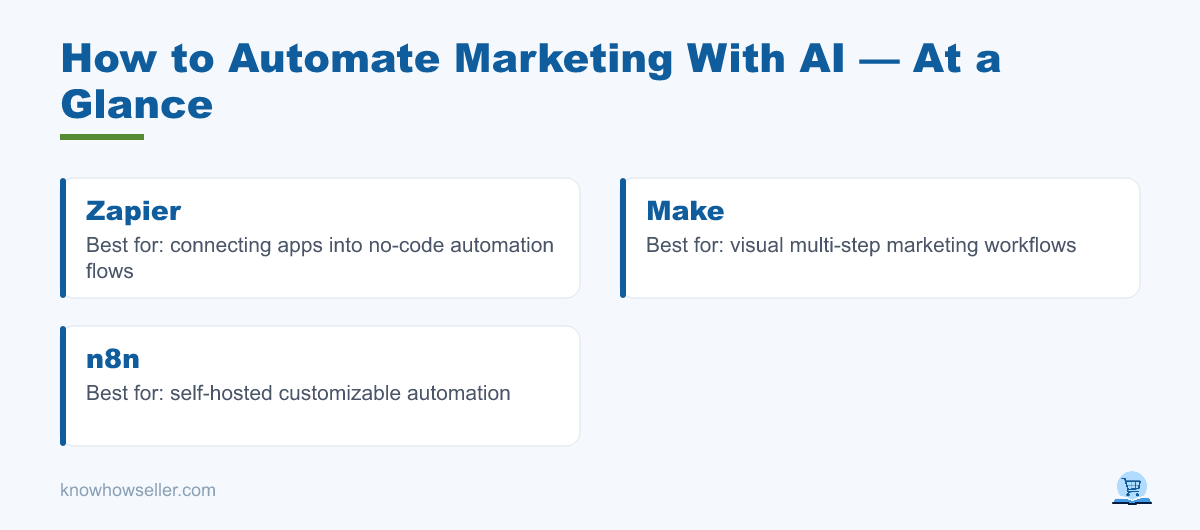
You need three layers: a language model such as ChatGPT, Claude, or Gemini; an orchestration tool such as Zapier, Make, or n8n to connect apps; and a review step such as a shared document, project board, or approval message. Small teams can often start with free tiers or entry-level paid plans, then move to API or team plans when usage, security, or collaboration needs increase.
| Layer | Budget option | Scaling option | Best for |
|---|---|---|---|
| AI model | Free or entry-level ChatGPT, Claude, or Gemini plan | Team plans or API access with usage-based billing | Drafting, rewriting, summarizing, ideation |
| Orchestration | Zapier, Make, or n8n starter/free options | Higher-volume automation plans or self-hosted n8n | Connecting forms, docs, email, CRM, and publishing tools |
| Review gate | Google Docs, Sheets, Slack, or a task board | Airtable, CRM approvals, CMS workflow, or internal QA process | Quality control and accountability |
Industry research from marketing platforms such as HubSpot has consistently reported growing AI adoption among marketers, especially for content creation, research, and analysis. The gap is rarely access to a tool — it is the workflow around source material, approvals, and measurement.
How do you keep AI marketing output on-brand and accurate?
Keep output on-brand by feeding the model real source material — past top emails, your style guide, actual product specs — and by adding a human approval step before anything publishes. Do not let AI post directly to public channels without review. Use a template prompt, review early outputs closely, then spot-check only after the workflow proves reliable.
- Ground it: paste real examples, approved claims, and product facts into the prompt; don’t rely on the model’s guesses.
- Constrain it: give word counts, banned phrases, tone rules, compliance requirements, and source-only instructions.
- Gate it: route every public-facing draft through a reviewer before send or publish.
“The teams that win with AI marketing aren’t the ones generating the most content — they’re the ones comparing AI output against their own best work and only shipping what survives review. The automation is easy; the discipline to reject weak drafts is what separates useful leverage from generic filler.” — Knowhow Seller
How do you measure ROI on AI marketing automation?
Measure ROI by tracking cost-per-task and total edit time before and after automating, not just output volume. A workflow only wins if the value of saved time is greater than the cost of tools plus the time spent editing, checking, and managing the workflow. Log a baseline manually, then run the same task with AI and compare. Kill any workflow where editing eats the savings.
Analyst firms including Gartner have warned that generative AI initiatives can stall when organizations fail to connect experiments to measurable business value. For a small business, the fix is simple accounting: track the time, tool cost, review effort, and outcome quality for each workflow every month.
A simple 5-step rollout
- Week 1: log one workflow manually to get a baseline for time, cost, and quality.
- Week 2: build the AI-assisted version with source material and a review gate.
- Week 3: run both approaches, compare output quality and edit time.
- Week 4: keep, tune, or kill the workflow — then add the next candidate.
- Ongoing: re-check the workflow as models, prices, policies, and brand needs change.
The bottom line
You can automate parts of marketing with AI today, but the value lives in workflow design, not the tool alone. Draft-heavy tasks — email, social, SEO briefs, product copy, FAQs, and ad variants — are usually the best starting points because they have clear inputs and repeatable formats. Strategy work should stay human-led, with AI used only to summarize, organize, and challenge ideas.