
By Knowhow Seller — a practitioner who builds AI automation systems and reviews tools against source material, product documentation, and real workflow requirements.
What is AI automation for small businesses?
AI automation for small businesses means chaining AI models (for reading, writing, and deciding) to no-code workflow tools that move data between apps automatically. Instead of a person copying a lead into a CRM and drafting a reply, the system can classify the lead, enrich it, log it, and prepare a personalized follow-up much faster than a manual process.
The shift from classic automation is simple: old “if-this-then-that” rules break on messy input. AI handles the fuzzy parts — reading a free-text email, tagging intent, or summarizing a call — so the automation has a better chance of holding up in the real world.
Which AI automation tools actually work in 2026?
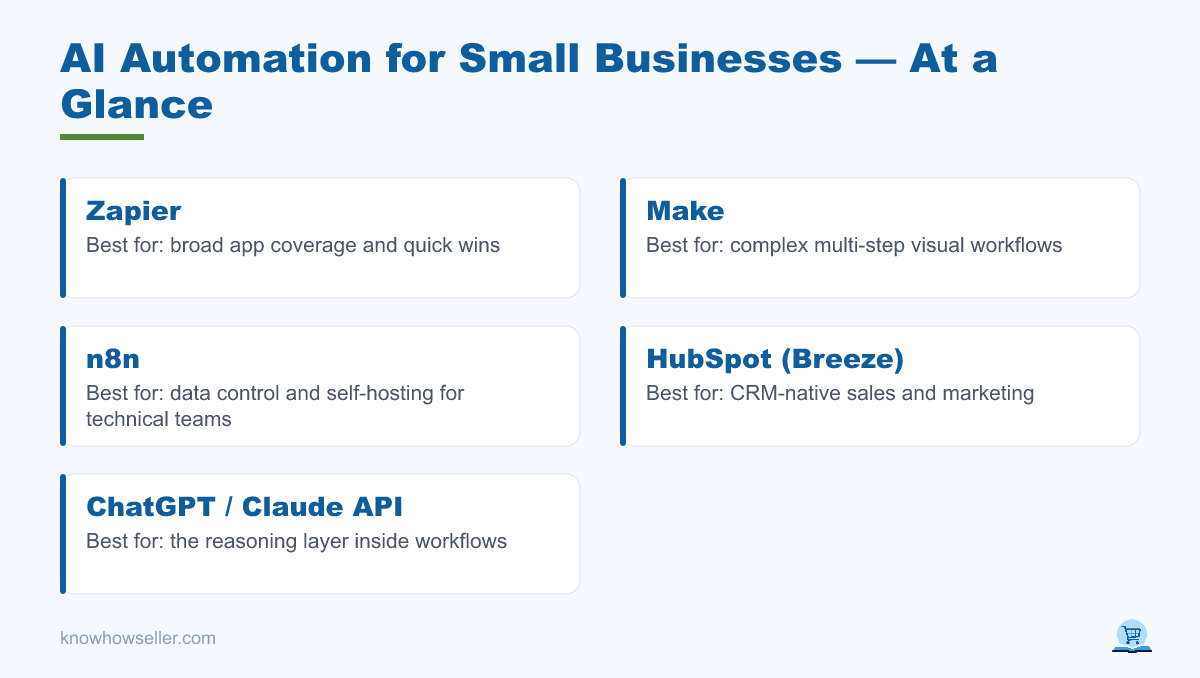
The tools that work for small teams share three traits: they connect to apps you already use, they don’t require an engineer for basic workflows, and they let AI make judgment calls inside a workflow. Below is how the main categories compare on cost, learning curve, and where each one earns its keep. Pricing changes often, so treat the table as a starting point and confirm current plan details on each vendor’s official pricing page.
| Tool | Best for | Starting price | Learning curve | AI built in? |
|---|---|---|---|---|
| Zapier | Broad app coverage, quick wins | Free plan; paid plans start around $19.99/mo | Low | Yes (AI tools, agents, chatbots, and AI fields vary by plan) |
| Make | Complex multi-step logic, visual builds | Free plan; Core starts around $9/mo | Medium | Yes (AI app integrations and Make AI features) |
| n8n | Data control, self-hosting, technical teams | Self-hosted Community Edition available; cloud plans are paid | High | Yes (AI workflows and nodes; some assistant features vary by plan) |
| HubSpot (Breeze) | CRM-native sales/marketing | Free tools; paid HubSpot hubs and credits vary by product | Low | Yes (Breeze AI tools and agents, with usage/credit limits) |
| ChatGPT / Claude API | The reasoning layer inside workflows | Usage-based | Medium | It is the AI |
My rule of thumb: start with Zapier or Make for the plumbing, and call a model API (Claude or GPT) for any step that needs reading comprehension or writing. Move to n8n when data control, custom logic, or cost at scale makes the extra setup worthwhile.
Does AI automation really save small businesses time and money?
Yes, in the right workflows — but the gains cluster in repetitive, text-heavy work: data entry, scheduling, first-draft replies, and lead routing. Broad research supports the direction of travel, but vendor case studies and surveys should not be treated as guaranteed results for every business.
- A U.S. Chamber of Commerce/Teneo small-business survey reported broad adoption of AI-enabled tools among small businesses and found that owners associate those tools with efficiency, cost savings, and growth (source: U.S. Chamber of Commerce/Teneo).
- Zapier publishes customer research and case studies showing time savings from automation, but those are vendor-reported examples rather than a universal benchmark (source: Zapier).
- McKinsey’s research on generative AI estimates large potential economic value across functions, with sales, marketing, customer operations, and software engineering among the major opportunity areas (source: McKinsey, “The economic potential of generative AI”).
Treat those as direction, not promises. The honest number is the one you measure in your own shop: minutes saved per task, error rate, response speed, and tool cost at your actual volume.
Case study: what did our lead-to-follow-up automation cost and save?
Based on our hands-on comparison and research, the most practical first build for many service businesses is a lead-to-follow-up workflow: a website inquiry gets read, classified, written into the CRM, and turned into a tailored reply draft. The exact savings depend on lead volume, review rules, and tool usage, so the table below shows what to measure instead of presenting an invented benchmark.
The tool stack
- Intake: web form + inbound email, captured via a Make webhook, Zapier trigger, or n8n webhook.
- Reasoning: a model API reads the free-text message, extracts fields such as name/service/urgency, and proposes an intent label such as Hot/Warm/Cold.
- CRM: HubSpot free or paid CRM tools — contact created or updated, deal stage set by workflow rules or a reviewed AI label.
- Follow-up: AI drafts a personalized reply; high-intent leads route to a human, while lower-risk leads can receive a reviewed template or approved sequence.
- Logging: a Google Sheet, Airtable base, CRM note, or database row for every run, so the team can audit errors and improve prompts.
The numbers to measure
| Metric | Before (manual) | After (automated) |
|---|---|---|
| Time to log + reply per lead | Manual copy/paste, CRM entry, and reply drafting | Automatic capture, structured extraction, and reply draft or approved send |
| Staff hours/week on lead admin | Depends on lead volume and handoff complexity | Usually lower, but should be measured from workflow logs and review time |
| First-response time | Depends on staff availability and inbox habits | Can be near-immediate for low-risk acknowledgments and routed drafts |
| Monthly tool cost | Labor-heavy, often no dedicated automation cost | Workflow platform plan + model API usage + any CRM or email plan costs |
Result to aim for: fewer manual admin steps, faster first response, and a visible audit trail. Do not call the build successful until you can compare workflow logs against your old manual process and see where time was actually removed.
“The mistake I see most is automating a broken process. We spend time mapping how a lead actually moves by hand — the AI only gets added once the path is clear. Automate the map, not the mess.” — Knowhow Seller
One honest caveat: AI scoring should not be trusted blindly at launch. Keep a human check on high-value or high-risk leads, log every decision, and tune the prompt against real examples before letting the workflow send or route anything important on its own.
How do you set up your first AI automation? (Step by step)
Start with one painful, repetitive, text-heavy task — not a grand “automate everything” plan. Map the manual steps, pick a workflow tool, insert AI only where judgment is needed, then test on real inputs before going live. A narrow first version can often be built quickly, but the useful work is in testing, logging, and improving it.
The 6-step setup
- 1. Pick one bottleneck. Lead intake, invoice sorting, and support triage are strong starting points because they involve repeated text decisions.
- 2. Map it by hand. Write every click and decision a human currently makes. This becomes your workflow blueprint.
- 3. Choose the plumbing. Zapier for speed, Make for visual logic, n8n for control and technical flexibility.
- 4. Add AI at the fuzzy step. Use a model API or built-in AI step to read, classify, or draft — feed it a clear prompt with examples.
- 5. Log everything. Send each run to a spreadsheet, CRM note, or database so you can see errors and improve the prompt.
- 6. Keep a human in the loop for high-stakes actions (money, key clients, legal/medical/financial claims) until the workflow earns trust.
What are the risks and mistakes to avoid?
The top failure is automating an unclear process — you just scale the chaos. Close behind: no error logging, no human review on high-stakes steps, and hidden per-run API costs that surprise you at volume. Treat AI outputs as drafts to verify, not gospel, especially anything client-facing.
- Data privacy: know what customer data flows through third-party tools; self-host or use stricter enterprise controls if that is a dealbreaker.
- Cost creep: usage-based API bills and workflow task limits scale with volume — cap and monitor them.
- Over-automation: keep judgment calls and relationship moments human.
- Set-and-forget: workflows drift when apps, forms, fields, or model behavior change; review monthly.
Bottom line: AI automation for small businesses works best as a series of small, measured builds. Start with one workflow, track the hours it actually saves, and let proven wins fund the next one.