
Most tool comparisons ask which app is prettiest, fastest, or most flexible. That is the wrong question if your real problem is that things you started three weeks ago are still sitting there, untouched, and you have stopped looking at them. This comparison judges Notion, Obsidian, and a plain text ledger on one job only: getting stalled work moving again.
What is the best system to track goals and tasks?
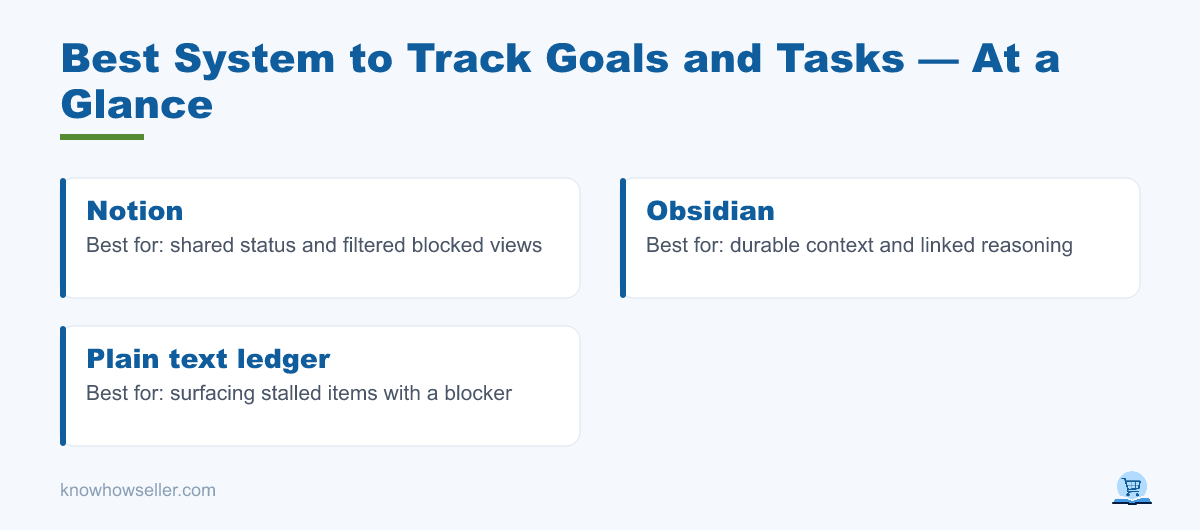
The best system to track goals and tasks is the one that hands you the right note at the moment you are actually stuck. Notion is strongest for structure and shared status. Obsidian is strongest for thinking and connection. A plain text ledger is strongest for stalled work, because it forces every open item to declare what is blocking it.
Why does work stall, and why do most systems miss it?
Work stalls when an item is waiting on something the tool never records: a decision, another person, an external reply, or you. Most trackers only store a due date and a checkbox. A date tells you an item is late. It does not tell you the one move that would unblock it, so the item is skipped again.
This is not a discipline problem, it is a retrieval problem. Bluma Zeigarnik’s classic 1927 work showed that unfinished tasks stay active in memory, and Masicampo and Baumeister (2011, Journal of Personality and Social Psychology) found that the intrusive pull of an unfulfilled goal drops sharply once you make a specific plan for it — not once you finish it. The relief comes from the plan being written somewhere you will actually see it.
Gollwitzer and Sheeran’s meta-analysis of 94 studies (2006) put the effect size of “if-then” implementation intentions at medium-to-large. The lesson for tool choice is blunt: a system helps only if it stores the next concrete move, in a place you re-encounter without effort.
How does Notion handle stalled work?
Notion handles stalled work well when other people are involved. Databases, status properties, filtered views, and relations make blocked items visible to a team. The cost is friction and drift: Notion offers quick-capture entry points, but filing an item into a structured database still means choosing the database and filling properties, properties multiply over time, and abandoned projects stay in the workspace looking tidy and official long after they are dead. (Feature details here are as of publication; both products change often.)
- Strong: shared status, filtered “blocked” views, linking a task to its source document, deadlines with reminders.
- Weak: getting a structured, properly filed item in at the exact second a task stalls — the moment when you are annoyed and about to close the laptop.
- Watch for: template gravity. A beautiful dashboard invites maintenance instead of work.
How does Obsidian handle stalled work?
Obsidian is excellent at holding the reasoning behind a goal: why this approach, what failed before, what the constraint is. Plain Markdown files stored locally, plus backlinks, make knowledge compound over years. But an open item buried inside a long note is invisible. Obsidian remembers thinking beautifully and pending status poorly.
- Strong: durable context, links between related decisions, files stay in plain Markdown on your own disk, works offline.
- Weak: no built-in flat list of everything currently stopped, unless you assemble one yourself with tags, saved searches, or community plugins.
- Watch for: notes that are perfectly written and never re-opened.
What does a plain text ledger do that neither of the others does?
A plain text ledger is one append-only file where every stalled item is a single line tagged by what it is blocked on. It is ugly, fast, and unavoidable. Because it stores the blocker rather than the topic, it can answer a question the others cannot: which of these could I unblock in sixty seconds?
Here is the format that works, one line per item: a short title, a blocker tag (decision, someone else, external reply, or me), and a done-when condition. Items blocked on a single one-line decision are usually the cheapest progress available on the list, so they are worth clearing first. In my experience, clearing a few of those takes minutes and restores more momentum than another round of replanning.
Which system tracks goals and tasks best?
No single tool wins everything. Judged on stalled work specifically, the ledger wins on retrieval and honesty, Notion wins on shared visibility and deadlines, and Obsidian wins on the reasoning behind goals. The realistic answer for one person is a ledger for open items plus one of the others for depth. The table below rates each on publicly verifiable capabilities plus our judgment of the trade-offs.
| Criterion | Notion | Obsidian | Plain text ledger |
|---|---|---|---|
| Find the right note while stuck | Search works; results are pages, not next moves | Depends entirely on how the index line was written | Best — one screen, every open item visible |
| Records what is blocking | Possible via a property; often unused in practice | Buried in prose | Required field |
| Capture speed at the stall moment | Slower — quick capture exists, but filing into a database means picking properties | Fast | Fastest (one line) |
| Shows how much you started | Good with a filtered view | Poor without extra setup | Good — count of started items |
| Holds reasoning and context | Good | Best | Poor by design |
| Makes abandonment easy | Awkward — archives look like failure | Notes just go quiet | Easy — weekly discard pass |
| Survives ten years | Export-dependent (Markdown/CSV export available) | Yes (plain files) | Yes (plain files) |
| Best for | Shared projects, deadlines | Knowledge that compounds | Restarting stopped work |
What is the deciding factor when you compare all three?
Based on our hands-on use of these three approaches and on the retrieval research above, the deciding factor is not the tool at all. It is how each index line is written. The question almost nobody asks is whether you can find the right note at the moment you are stuck, rather than at the moment you sit down to review.
Lines written as topics tend to fail. A line called “Publishing workflow” is invisible when your actual thought is “the upload keeps failing at the last step.” Lines written as symptoms work better, because a symptom is what is in your head when you are stuck. Rewrite the index line as the complaint, not the category:
- Topic line (fails): Onboarding email sequence
- Symptom line (works): People sign up, then never open anything after day one
- Topic line (fails): Q3 goal review
- Symptom line (works): I keep rewriting the same goal instead of starting it
This is why a personal knowledge system compounds mainly when the index describes the symptom. Otherwise the note exists, is well written, and is never found again at the moment it was needed — which is functionally the same as not having written it.
How many goals should you have started at once?
Two per project is the cap I use. Ideas stay unlimited; only starting is rationed. The rule came out of a scan of my own archived project files, which turned up a pile of tasks that had been begun and left mid-flight — not bad ideas, just unfinished ones. The bottleneck was never idea supply. It was that starting felt like progress while finishing did nothing for the mood.
Queueing theory makes the same point formally: by Little’s Law, at a constant throughput, cycle time rises in proportion to work-in-progress, so everything in the queue ages as you add to it. The practical version is a hard cap. When a third item wants to start, one of the two must close or be explicitly parked. That single rule does more than any app feature.
There is a real cost to ignoring it, though the size of it is debated. An often-cited American Psychological Association summary (based on Rubinstein, Meyer and Evans, 2001) suggests people can lose as much as 40% of productive time to task switching, and Gloria Mark’s UC Irvine team (2005) found interrupted work took roughly 23 minutes to return to. Treat the 40% as an upper-bound estimate rather than a measured constant — but the direction is not in doubt. Every extra started item is a standing invitation to switch.
When should you abandon a goal instead of tracking it?
When it has not been touched in 30 days. Treat abandonment as maintenance, not failure. Items untouched for a month get surfaced weekly as discard candidates, and in practice a good share of them deserve to go. A list you trust is short. A list full of things you privately know you will never do teaches you to stop reading it.
This is the part every tool comparison skips. The system that keeps stalled work moving is not the one with the best database — it is the one where deleting is normal, cheap, and unemotional.
So which one should you actually use?
Use a plain text ledger as the single source of truth for anything stopped, tagged by blocker. Use Notion if other people need to see status, or Obsidian if your work depends on accumulated reasoning. Write every index line as a symptom. Cap started items at two. Discard at 30 days.
I rebuilt this after leaving a long career in one institution, where deadlines, review, and someone noticing when a task stalled were all supplied for me. Rebuilding those three things from nothing is what the ledger really is. The formula I keep coming back to is Belief × Thinking × Action — and a tracker only touches the last term. It cannot make you believe the goal is possible; it can only make sure the next action is findable.
If you want the daily-habit side handled for you rather than in a text file, the VisionDream app turns goals into daily habits. And if the harder question is why the same goals keep stalling in the first place, that is the subject of the book Why Do I Fail While Others Succeed?
Whatever you choose, judge it in six weeks on one question: when you got stuck, did the system hand you the right line?